

Reader-supported: we may earn a commission from links on this page.
Table of Contents
Here’s something your VPN can’t protect you from: plugging your phone into a public USB port at an airport can let an attacker pull data off your device or push malware onto it. Researchers named this “juice jacking” back in 2011, and security agencies still warn about it. No password manager, VPN or software fix closes that gap, and that’s exactly the gap privacy gadgets are built to close. We researched five of the most talked-about privacy gadgets to find out which ones deliver on that promise, and which are just tech accessories wearing a privacy label.
1. YubiKey 5 NFC: Best for Phishing-Proof Login
Here’s what makes this different from a code sent to your phone: a YubiKey doesn’t just confirm it’s you. It confirms you’re logging into the real website. During login, the key checks that the domain you’re on matches the one it was registered to. Land on a perfect fake login page at “arnaz0n-security.com” instead of the real site, and the key simply won’t respond, no matter how convincing the fake looks. That protection happens in the hardware, whether or not you’d have spotted the scam yourself. Google said in 2018 that after it required security keys for its more than 85,000 employees in early 2017, it had no confirmed account takeovers on their work accounts. Our pick: YubiKey 5 NFC, which supports FIDO2, OTP, Smart Card and OpenPGP in a single key, covering almost every login you’ll run into.
Not sure which key fits your phone or laptop? Yubico sells cheaper basic keys and versions with USB-C, Lightning and NFC. We compare five of them, including which ones work with iPhone, in our security key buying guide.
2. PortaPow USB Data Blocker: Best for Public Charging
Most USB data blockers ask you to trust that they’re working. PortaPow says its blocker physically leaves out the data connections, so there’s nothing to carry your information no matter what the charging port on the other end tries to do. That’s a simple design you can understand, rather than a vague “secure charging” promise. It matters because of “juice jacking”: a tampered public charging port can try to pull data from your phone or push malware onto it when you plug in. Airports, cafes and hotel rooms are the classic places. Our pick: PortaPow USB Data Blocker (2 Pack), a well-reviewed pick that charges at up to 5V/2.4A while keeping the data lines disconnected.
3. Mic-Lock 3.5mm Microphone Blocker: Best for Audio Privacy
Here’s the detail most people get wrong: a cheap dummy plug or a pair of cut-off headphones does not reliably block your microphone. Modern phones often have several built-in microphones, and a passive plug can’t switch them all off. Mic-Lock says it works differently: it’s an active device that sends a steady “silence” signal to your phone or laptop, so the device treats it as the main audio source. You can check it yourself by plugging it in and making a call to a friend. Know the limits too: it only works over a wired 3.5mm connection, so Bluetooth headsets and speakerphone mode bypass it. Our pick: Mic-Lock 3.5mm Microphone Blocker, a useful privacy gadget if your phone or laptop still has a headphone jack and often sits nearby during sensitive conversations.
4. Faraday Pouches: Best for Total Signal Isolation
Everything so far protects against one specific attack: your login, your charging port or your microphone. A good Faraday pouch does something broader. It blocks cellular, Wi-Fi, Bluetooth and GPS signals, cutting your phone off from every network at once. That makes it a different kind of privacy gadget: less “stop this one attack” and more “make my device unreachable, on demand.” It’s useful when you want to be sure your phone isn’t transmitting during a sensitive meeting, a border crossing, or while it sits in a bag. Our Faraday bags investigation compares the main options, including which makers back up their shielding claims with named lab test standards, and shows you how to test a bag yourself at home.
5. Privacy Screens: Best for Public and Shared Spaces
Not every privacy threat comes from hackers. Sometimes it’s just the person next to you on a plane, in a coffee shop or behind you in line, reading your screen over your shoulder. A privacy screen is a physical filter that narrows the viewing angle of your laptop or phone display, so the content is readable head-on while anyone looking from the side sees a dark screen. It’s a low-tech fix for a problem software can’t solve: no VPN or encryption stops someone from simply reading your screen in person. See which privacy screens we recommend, and how to pick the right size, in our Privacy Screens for Laptops guide.
A Note on Extreme Cases: BusKill
Everything above is built for everyday privacy. One product is built for something more severe: BusKill, a USB cable with a magnetic breakaway connector that can lock or wipe your laptop if it’s yanked away from you. It was designed for journalists, activists and others facing real device-seizure risk, not casual theft. We mention it for completeness rather than recommending it broadly, since it’s overkill for most readers. We couldn’t confirm an official listing for it at the big online retailers, so if you’re in the situation it’s built for, buy it directly from BusKill’s own site.
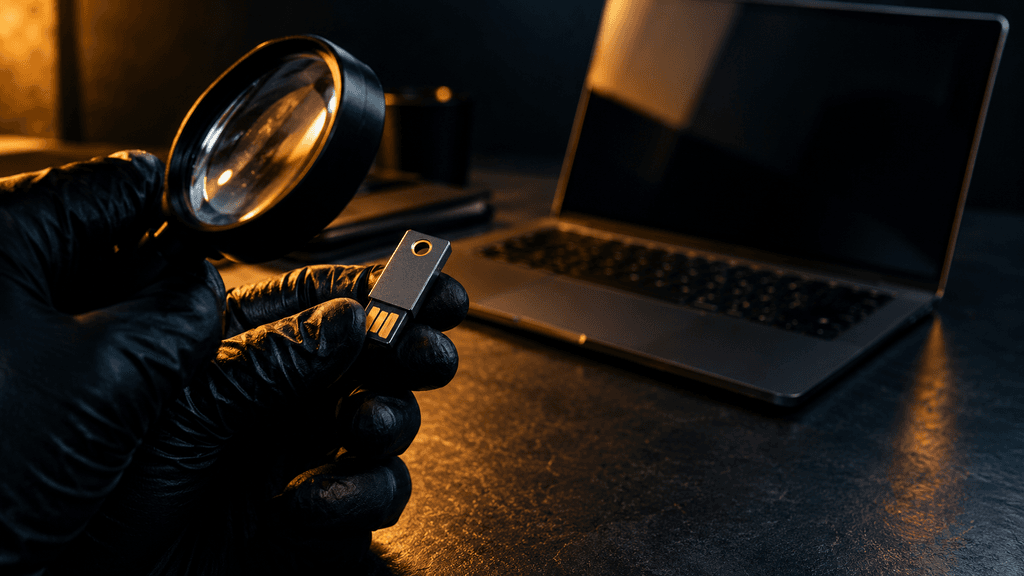
None of these five gadgets protects you from everything, and that’s the point. A YubiKey stops phishing, not juice jacking. A Faraday pouch stops signal tracking, not a shoulder-surfer reading your screen. Real privacy isn’t one purchase. It’s matching the right physical tool to the right risk, the same way we approach every investigation on this site, from which non-toxic perfume brands actually earned their claims to which cooking oils live up to their health marketing. If a product can’t explain exactly what it protects against, it’s usually protecting you from very little.
More privacy investigations: how to find a tracker on your car, how to spot hidden cameras in rentals and hotels, which webcam covers are safe on a laptop, and the best privacy screen for your monitor.
FAQ
Do privacy gadgets actually work, or are they just marketing?
It depends on the product and the threat. Some deliver: a USB data blocker that leaves out the data lines is a simple, understandable design, and an active mic blocker like Mic-Lock uses a clear mechanism. Others, like cheap dummy microphone plugs, are sold as privacy protection but don’t reliably work on modern devices. Check the actual mechanism, not just the label.
What is a YubiKey and do I actually need one?
A YubiKey is a small physical key that acts as a phishing-resistant second login step. Even a perfect fake website can’t trick it, because it checks the real domain in the hardware. You don’t strictly need one if you already use strong, unique passwords and a password manager, but it closes a gap those tools can’t: it protects you even if you fall for a convincing fake login page.
Can hackers really steal data through public USB charging ports?
It’s possible. Researchers named the attack juice jacking in 2011, and security agencies still warn about it. A tampered public USB port can try to pull data from a connected phone or push malware onto it while charging. A USB data blocker prevents this by disconnecting the data lines while still letting power through.
Do dummy microphone blockers actually work?
Not reliably. Most modern smartphones have several built-in microphones, and a passive dummy plug can’t disable all of them. Active blockers like Mic-Lock work differently: they send a steady silence signal that the device treats as its main audio source, which you can check with a quick test call.
Are Faraday pouches actually necessary for everyday privacy?
For most people, not every day. But they’re useful in specific moments: sensitive meetings, border crossings, or any time you want to be sure your phone isn’t sharing its location or connecting to a network. Unlike the other gadgets on this list, which defend against one attack, a good Faraday pouch blocks every signal at once.


