
Reader-supported: we may earn a commission from links on this page.
Quick answer: Here’s how to find a tracker on your car: start with your phone. iPhones warn you about unknown AirTags on their own, and Android phones can scan in Settings under Safety & emergency, then Unknown tracker alerts. Then check the OBD port under the dashboard, all four wheel wells, under both bumpers and under the seats. For a hidden cellular GPS tracker, a detector with a magnetic mode helps, but a careful look by hand still matters most.
Most guides on this topic are written by companies that sell GPS trackers. PrimeDigger doesn’t sell trackers. We went through Apple’s and Google’s own safety pages, federal court and regulator records, and the detector makers’ specs, so you can tell what’s really on your car and what isn’t.
Table of Contents
AirTag Found Moving With You: Real Tracker or False Alarm?
An alert doesn’t always mean someone is tracking you. Apple says the item might be attached to something you’re borrowing, and you’ll also get alerts if you borrow someone else’s AirPods. Before you panic, match your situation to this table.
| What happened | Likely cause | What to do |
|---|---|---|
| Alert while riding with family or friends | Their AirTag on keys, a bag or a wallet | Ask them. If they’re in your Family Sharing group, you can turn off alerts for that item for a day or for good. |
| Alert after borrowing a car, bag, keys or AirPods | The owner’s item is with you | Ask the owner, then check the item. |
| Alert keeps coming back in your own car, on trips where you’re alone | A tag may really be hidden on the car | Treat it as real. Play a sound and search (steps below). |
| “Detected near you”, but the sound won’t play | The tag may be out of Bluetooth range, or no longer with you | Search by hand, drive for a few minutes and scan again. If alerts return on different trips, treat it as real. |
| Android scan finds nothing, but you’re still worried | A manual scan only finds trackers that are away from their owner | Do the physical search below. A tracker whose owner is in the car with you won’t show up. |
The rule of thumb: one alert during a trip with other people is usually innocent. Repeated alerts in your own car, when you’re alone, are not.
Who Would Track Your Car, and Where They’d Hide It
The person behind a tracker decides what kind of tracker it is, and that decides where to look. This is the part most guides skip.
| Who | What they usually use | Where to look first | Your rights |
|---|---|---|---|
| Ex-partner or stalker | An AirTag or other tag, sometimes a magnetic GPS box | Under the seats, trunk, wheel wells, bumpers | Secret tracking can be a crime under state stalking and tracking laws. Get help before you remove it (see below). |
| Parent or family member | An AirTag or a plug-in OBD tracker | Glove box, center console, OBD port | If they own the car, it may be legal. Talk to them. |
| Lender or “buy here, pay here” dealer | A hardwired GPS unit, sometimes with a starter interrupt that can stop the car from starting | Under the dashboard | It should be in your loan contract. Read your paperwork before touching it. |
| Employer (company car) | A fleet tracker or the car’s built-in system | OBD port, under the dashboard | Check your company vehicle policy. |
| Car insurance company | A plug-in device or a phone app that records your driving | OBD port | You would have signed up for it, usually for a discount. |
| Police | Varies | Anywhere | The Supreme Court ruled that attaching a GPS tracker to a car is a search, which generally means police need a warrant. |
| The car itself | A built-in connected-car system | Nowhere: it’s part of the car | Check the maker’s app and privacy settings (see below). |
Lender trackers are real and they can be misused. The CFPB said auto lender USASF wrongly set off starter-interrupt devices about 7,500 times, disabling cars when borrowers weren’t in default. A federal court found USASF liable and ordered a $10 million penalty plus $32.6 million in consumer relief. If you bought your car with a subprime loan, look for a GPS or “starter interrupt” clause in your contract before you assume the worst.
Step 1: The Free Phone Check (2 Minutes)
Bluetooth tags like AirTags are cheap, tiny and easy to hide, and your phone can find them for free. Do this first.
On an iPhone
- Make sure Bluetooth is on. Unwanted tracking alerts work on iOS 14.5 or later for AirTags, and on iOS 17.5 or later for other Bluetooth trackers.
- Open the Find My app, tap Items, and look for the list of items detected with you (Apple shows the exact steps here).
- Tap an unknown item, then Play Sound. If you have a newer iPhone, Find Nearby uses Precision Finding to point you to it.
On an Android Phone
- Open Settings, then Safety & emergency, then Unknown tracker alerts, and turn on Allow alerts. It works on Android 6 and up.
- Tap Scan now. Google says the scan takes about 10 seconds and finds AirTags and tags that work with Google’s Find Hub network.
- If something shows up, tap Play sound to find it.
Tip: scan with the car running or just after a drive, and sit in different seats, then walk around the outside of the car and scan again.
Step 2: The 10-Minute Physical Search
Phones only find Bluetooth tags. Cellular GPS trackers, the kind that send your location over a mobile network, don’t show up on a phone at all, so you have to look. Grab a flashlight and an inspection mirror, and check in this order.
| Tracker type | What it looks like | Where to check |
|---|---|---|
| Plug-in OBD tracker | A small box plugged into a socket under the dashboard | The OBD port, usually under the dashboard near the steering wheel |
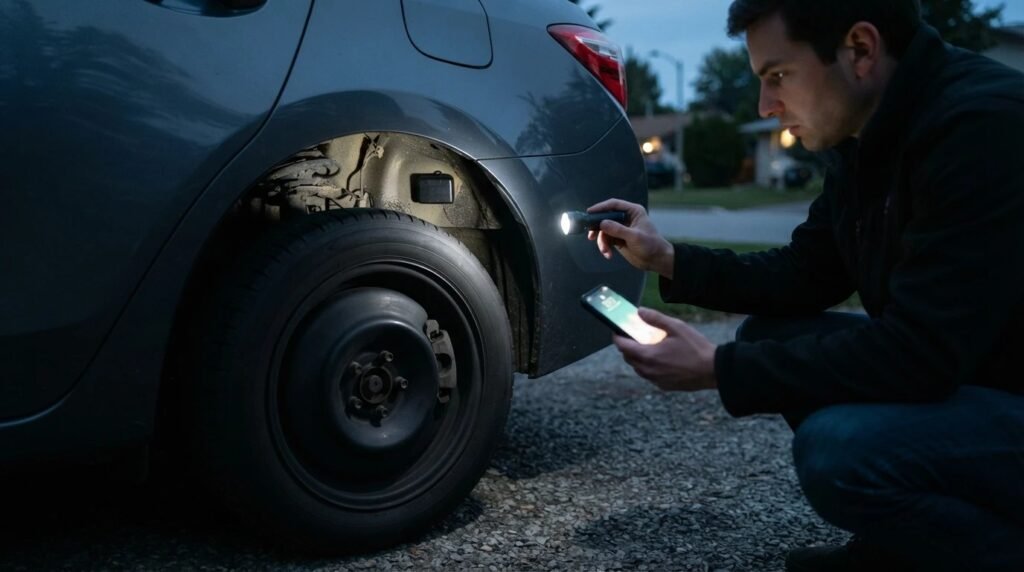
| Magnetic GPS box | A black weatherproof case, often palm-sized, stuck on with a magnet | Inside all four wheel wells, under both bumpers, along the frame under the car |
| Bluetooth tag (AirTag, Tile, SmartTag) | A coin-sized disc or small square | Under and between the seats, seat pockets, glove box, console, trunk, spare-tire well |
| Hardwired tracker | A small module with wires taped or spliced into the car’s wiring | Behind the dashboard panels and near the fuse box. A mechanic or auto electrician can check this. |
- OBD port first. It takes seconds to plug a tracker in here, and seconds to spot one. Anything plugged in that you didn’t put there is worth a closer look.
- Feel, don’t just look. Run your hand along the inside lip of each wheel well and behind the bumpers. Magnetic boxes are often out of sight but easy to feel.
- Look for things that don’t match. New zip ties, electrical tape or wires under the dashboard that weren’t there before are a warning sign.
- Drive first, then scan. Many battery trackers send their location in short bursts and rest when the car is parked. A short drive wakes them up before you use a detector.
Is Your Car Already Tracking You?
Many newer cars have a built-in internet connection that can share location and driving data with the carmaker. You won’t find it with a detector, because it’s part of the car.
This isn’t a theory. In January 2026, the FTC finalized an order against GM and OnStar over allegations that they collected and sold drivers’ precise location and driving data without clear consent. GM must now get drivers’ express consent before collecting or sharing connected-car data, and let them request and delete it.
- Open your carmaker’s app or the car’s settings screen and look for privacy, location or data-sharing options.
- Check whether you signed up for a connected service or a “smart driver” style feature when you bought the car.
- Ask the dealer what the car shares and how to turn it off. Some services, like emergency crash alerts, may stop working if you do.
Do GPS Tracker Detectors Work?
Yes, but only for some trackers, and only if you use them the right way. Here’s the honest picture.
- Radio (RF) mode beeps near anything that sends a signal. That includes your own phone, the car’s Bluetooth and nearby Wi-Fi, so switch your phone off or leave it outside the car before you scan.
- It only hears a tracker while it’s sending. A battery tracker that is resting won’t make a sound. That’s why you drive first, then scan.
- Magnetic mode finds the strong magnets used to stick GPS boxes to metal. Cars have magnets of their own, so always confirm by looking.
- AirTags are hard to catch. They send tiny Bluetooth signals, so your phone’s scan is the better tool for them.
- Phone apps can’t find cellular GPS trackers. Apps can only see Bluetooth devices, so a “GPS detector app” mostly finds tags, not the GPS boxes.
A detector is worth buying if the phone check comes up empty but you still think there’s a magnetic GPS box on your car, or if you want to check a car regularly.
The Best Tools for Finding a Tracker on Your Car
| Tool | What it helps find | Best for |
|---|---|---|
| JMDHKK K18 detector | Transmitting trackers, magnets | Most people |
| JMDHKK K68+ detector | Transmitting trackers, magnets | A step up |
| JMDHKK M8000 detector | Trackers that send in short bursts, magnets | Serious, regular checks |
| LED inspection mirror | Anything in wheel wells and under the car | Everyone |
| Coquimbo magnetic work light (2-pack) | Dark spots under the car and dashboard | Everyone |
| VTT OBD Lock | Stops new plug-in trackers | Prevention |
Prices and stock change often, so check the current price before you buy.
1. JMDHKK K18: Best Detector for Most People
Check the current price of the JMDHKK K18
The K18 is one of the most popular detectors we found. It combines a radio signal detector with a magnetic mode, which the maker says is for finding devices held on with magnets. Buyer feedback is mixed. Like every radio detector, it also reacts to phones and Wi-Fi, so follow the steps above to avoid false beeps. Used that way, it’s a sensible first detector. It’s the same model we cover in our hidden camera guide, so one device covers both jobs.
2. JMDHKK K68+: A Step Up
Check the current price of the JMDHKK K68+
The K68+ is the maker’s step-up model, sold for homes, hotels and cars, with radio and magnetic detection. Buyer feedback looks similar to the K18’s, so buy it if you want the extra features, not because it’s proven to find more.
3. JMDHKK M8000: For Trackers That Send in Bursts
Check the current price of the JMDHKK M8000
The M8000 is the one we’d look at if you suspect a battery GPS tracker. The maker says it has a high-precision magnetic sensor for trackers hidden on vehicles, and an alert mode built for devices that only send now and then to save battery. It costs a lot more than the K18 and still has mixed reviews, so it’s for people who plan to check a car regularly.
4. Inspection Mirror and Work Light: The Cheapest Upgrade
Check the current price of the LED inspection mirror
Check the current price of the Coquimbo work lights
Most trackers are found by looking, not beeping. This telescoping mirror extends to 34 inches, swivels, and has two LED lights for seeing up into wheel wells and behind bumpers. The Coquimbo lights are rechargeable, rotate, and have a magnetic base, so you can stick one under the car and keep both hands free.
5. VTT OBD Lock: Prevention
Check the current price of the VTT OBD Lock (for GM vehicles, get the GM version)
An aluminum cover that locks over your OBD port with special screws. The maker sells it mainly to stop thieves from programming new keys, but it also stops anyone from quickly plugging in a tracker. You’ll need to remove it when a mechanic plugs in a scanner.
Found a Tracker? What to Do Next
- If you feel unsafe, put safety first. Drive to a public place or a police station and call 911 if you’re in danger.
- Don’t rush to remove or disable it if someone you fear might have put it there. A tracker that suddenly stops can tell them you found it. Google also warns that disabling some trackers can wipe the details that would help police find the owner. The National Domestic Violence Hotline (1-800-799-7233, or text START to 88788) can help you plan your next step.
- Take photos of the tracker where you found it, and write down the date and place.
- If it’s an AirTag, hold the top of your iPhone near it. Apple says you’ll see its serial number and the last four digits of the owner’s phone number or a partly hidden email address.
- Report it to the police and give them your photos and the serial number. Apple says police can work with Apple to request information about the item.
- If it belongs to your lender or employer, check your paperwork before you touch it. Removing a tracker you agreed to can break your contract.
How to Stop Someone Tracking Your Car
- Keep tracker alerts on. On iPhone, keep Bluetooth on. On Android, make sure Allow alerts is switched on.
- Check after the car has been out of your hands, such as after a service, a valet, buying a used car or a breakup.
- Do a two-minute check every month: the OBD port, the wheel wells and under the seats.
- Lock the OBD port with a VTT OBD Lock if you’ve found a plug-in tracker before.
- Protect your phone and key fob too. A Faraday bag blocks their signals when you don’t want them connected.
Worried about theft rather than tracking? Cars with keyless entry can be stolen with a relay device that copies your key fob’s signal. See our guide to the best Faraday bag for your key fob, with a 30-second test you can do at your car.
The PrimeDigger Verdict
Most “is my car being tracked?” scares start with a phone alert, and many of those turn out to be a friend’s or family member’s AirTag. Run the free phone check, match your alert to the table above, then spend ten minutes on the OBD port, wheel wells, bumpers and seats with a flashlight and a mirror. Buy a detector like the JMDHKK K18 only if you still suspect a magnetic GPS box. If you do find a tracker and you’re afraid of who put it there, don’t pull it off right away: get help first.
More privacy guides: how to spot hidden cameras in rentals and hotels, whether Faraday bags actually work, how to remove your personal information from the internet, and our full list of privacy gadgets.
Want the full playbook? Our ebook The Hidden Surveillance Bible covers car trackers in depth, plus trackers hidden in bags and gifts, hidden cameras in hotels and rentals, stalkerware on your phone, and a step-by-step plan for what to do if you find something. It includes a printable car tracker checklist and an evidence log. Get the ebook ($19) →
Worried about being watched, not just tracked? Get our free one-page checklist for finding hidden cameras in hotels and rentals.
Frequently Asked Questions
How do I know if there is a tracker on my car?
Start with your phone: iPhones alert you to unknown AirTags, and Android phones can scan under Settings, Safety and emergency, Unknown tracker alerts. Then check the OBD port under the dashboard, the four wheel wells, under both bumpers and under the seats. Repeated tracker alerts in your own car, or someone knowing where you have been, are signs worth acting on.
Where do people usually hide a GPS tracker on a car?
Plug-in trackers go in the OBD port under the dashboard. Magnetic GPS boxes are usually stuck inside a wheel well, under a bumper or on the frame. Small Bluetooth tags such as AirTags are often hidden under seats, in seat pockets, in the trunk or in the spare-tire well.
Can a phone app detect a GPS tracker?
Only Bluetooth trackers such as AirTags, Tile and SmartTag. Phone apps cannot see cellular GPS trackers, so for those you need a physical search or a hardware detector.
Do GPS tracker detectors really work?
They can, with limits. A radio detector only reacts while a tracker is sending, and it also beeps at phones and Wi-Fi. Turn your phone off, drive the car first to wake up battery trackers, then scan. A magnetic mode helps find GPS boxes held on with magnets, but always confirm by looking.
Can my car dealer or lender track my car?
Yes, if it is part of your loan or purchase agreement. Some lenders, especially for subprime and buy-here-pay-here loans, install a GPS unit or a starter-interrupt device. It should be disclosed in your contract, so check your paperwork before removing anything.
Can police put a tracker on my car without telling me?
In 2012 the US Supreme Court ruled in United States v. Jones that attaching a GPS tracker to a car and using it to follow the car is a search under the Fourth Amendment, which generally means police need a warrant.
Can Android phones detect AirTags?
Yes. Android 6 and later can alert you to unknown AirTags and Find Hub compatible tags, and you can run a manual scan in Settings, Safety and emergency, Unknown tracker alerts.
Sources
- Apple Support: What to do if you get an alert that an AirTag or other item is with you
- Apple Personal Safety User Guide: Detect unwanted trackers
- Android Help: Find unknown trackers
- FTC: Order settling allegations GM and OnStar collected and sold geolocation data
- CFPB: USASF Servicing enforcement action
- United States v. Jones, 565 U.S. 400 (2012)
- National Domestic Violence Hotline


