
Reader-supported: we may earn a commission from links on this page.
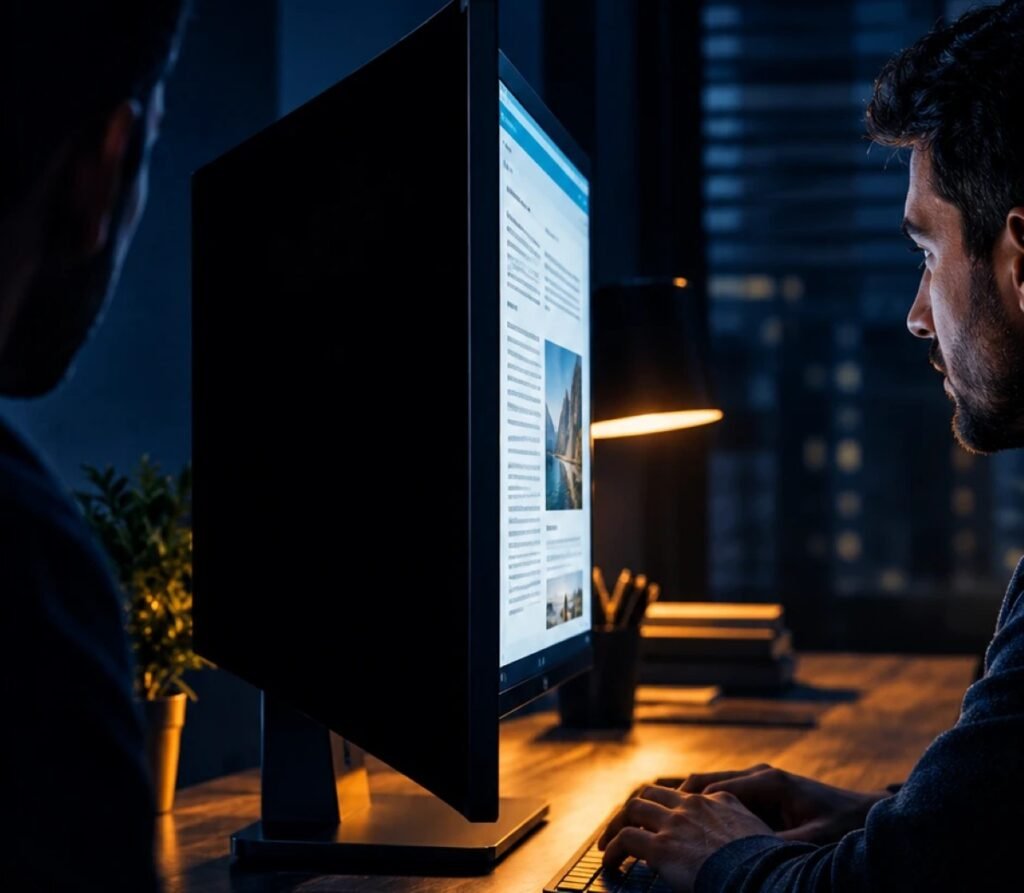
Quick answer: A monitor privacy screen is a thin filter that makes your screen look dark to anyone sitting beside you, while you still see it normally from the front. For most desks, the 3M Privacy Filter is the safest pick. If you want to take the filter on and off in a second, get the Kensington MagPro. On a budget, SightPro is the most-reviewed option we found. Whatever you buy, measure your screen and check its shape (16:9 or 16:10) first.
Table of Contents
Our Picks at a Glance
- Best overall: 3M Privacy Filter (24-inch, 16:9)
- Best magnetic: Kensington MagPro for monitors (24-inch and 27-inch)
- Best budget: SightPro monitor privacy filter (27-inch and 23.8-inch)
How Monitor Privacy Screens Work
Privacy filters use tiny vertical louvers, like microscopic window blinds. Look at the screen straight on and the blinds are open. Look from the side and they block the light, so the screen looks dark. Makers describe how narrow that view is: 3M says its filters black out side views outside a 60-degree viewing angle, and Kensington says the MagPro narrows the view to ±30 degrees.
Two limits are worth knowing before you buy. A privacy filter blocks people beside you, not someone standing directly behind you. And because it filters light, your screen will look a little dimmer, so you may want to turn the brightness up.
The Best Monitor Privacy Screens in 2026
1. 3M Privacy Filter: Best Overall
See the 3M Privacy Filter for 24-inch monitors
3M is one of the best-known makers of micro-louver privacy film, and this is its standard monitor filter. The listing says data on screen is visible only to the person directly in front of the monitor and darkens when viewed from the side. It’s reversible, with a glossy side for clarity and a matte side that cuts glare, and it comes with two ways to attach it, so you can take it off when you need to share your screen.
This version fits 24-inch 16:9 monitors; 3M lists the filter at 20 15/16 inches wide by 11 13/16 inches high. If you’d rather click the filter on and off with magnets, 3M also sells a 24-inch version with 3M COMPLY Magnetic Attach, which uses strong magnets and is reversible too.
2. Kensington MagPro for Monitors: Best Magnetic
See the Kensington MagPro 24-inch · See the 27-inch
The MagPro uses a slim magnetic strip, so the filter snaps on and comes off in a moment. That makes it the easiest pick if you often share your screen with coworkers. Kensington says it narrows the view to ±30 degrees and suits slim-bezel and edge-to-edge monitors. The listing also says it’s TAA-compliant, which matters if you buy for a U.S. government office.
Kensington’s listing claims blue light reduction of up to 22%. Treat that as the maker’s figure; we haven’t found independent measurements.
3. SightPro Monitor Privacy Filter: Best Budget
See the SightPro 27-inch · See the 23.8-inch
SightPro is the most popular budget filter we found. It comes with two ways to attach it: clear adhesive strips, or slide-mount tabs for monitors with a raised frame, which let you slide the filter in and out. SightPro makes it in many sizes, but not every size is always in stock, so check yours before you order.
Monitor Privacy Screens Compared
| Pick | How it attaches | Privacy angle (maker) | Best for |
|---|---|---|---|
| 3M Privacy Filter | Two attachment options (magnetic version sold separately) | Blacks out side views outside 60° | Most desks, best-known privacy film |
| Kensington MagPro | Magnetic strip | ±30° | Sharing your screen often, slim-bezel monitors |
| SightPro | Adhesive strips or slide-mount tabs | Maker says it blacks out side views | Tight budgets |
Prices change often, so check the current price before you buy.
How to Pick the Right Size
A privacy filter only works if it covers the whole screen. Getting the size wrong is the most common mistake, so check three things:
- The diagonal. Measure the visible screen from corner to corner, not the monitor’s frame. A 23.8-inch and a 24-inch monitor need different filters.
- The shape. Most monitors are 16:9, but some 24-inch monitors are 16:10, which is taller. A 16:9 filter on a 16:10 screen leaves gaps.
- The exact dimensions. Makers list each filter’s width and height. Compare them with your screen’s visible area before you order.
If you use a curved or ultrawide monitor, look for a filter the maker says is made for that screen. Most standard filters are designed for flat screens.
Adhesive, Slide-In, Magnetic or Hanging?
- Adhesive tabs hold the filter firmly and stay out of the way, but they’re fiddly if you remove the filter often.
- Slide-mount tabs stick to the monitor frame, and the filter slides in and out. They need a raised frame to work.
- Magnetic strips are the quickest to put on and take off, and suit slim-bezel monitors.
- Hanging filters hook over the top of the monitor. They’re easy to fit, but many of the ones we found are thick acrylic panels from lesser-known brands with few reviews, so check the ratings carefully.
Do Monitor Privacy Screens Actually Work?
Yes, for the job they’re designed for: stopping people beside you from reading your screen in an open office, reception area or shared home workspace. They don’t stop someone directly behind you, and they don’t protect you from anything on the internet. If you use two monitors, each one needs its own filter.
Working from a laptop too? See our guide to the best privacy screens for laptops, and if you’re also covering your camera, read whether a webcam cover can crack your laptop screen.
The PrimeDigger Verdict
For most people, the 3M Privacy Filter is the safest choice: a well-known privacy film, two ways to attach it, and clear size information. If you take the filter on and off during the day, the magnetic Kensington MagPro is worth it. On a budget, SightPro is the pick. Whichever you choose, measure your screen and check whether it’s 16:9 or 16:10 before you buy.
Want to go further? This is one of the topics covered in The Remote Work Surveillance Bible, our full investigation into VPN travel routers, Faraday bags, privacy screens, and more. Check out the full series →
Frequently Asked Questions
Do privacy screens work on monitors?
Yes. A monitor privacy filter makes the screen look dark to people sitting beside you while you see it normally from the front. It does not stop someone standing directly behind you.
What size privacy screen do I need for my monitor?
Measure the visible screen diagonally and check its shape: most monitors are 16:9, but some 24-inch models are 16:10. Then compare the filter’s listed width and height with your screen’s visible area.
Can you use a privacy screen on a curved monitor?
Only one the maker says is made for curved screens. Most standard privacy filters are designed for flat monitors.
Are magnetic monitor privacy screens better?
They are the quickest to put on and take off, which helps if you share your screen often. Adhesive or slide-in filters stay firmly in place once fitted.
Do privacy screens make the monitor darker?
Slightly. The filter blocks some light, so many people turn the brightness up a little after fitting one.


