

Meta’s new AI agent, Muse, wants the keys to your life: your bank account, your email, your calendar, your shopping and your travel plans. So is Meta Muse safe? We dug through Meta’s own announcement, its partners’ fine print and what security experts are saying, and pulled out what Muse can actually see and do once you connect your accounts.
One note before we start: Muse launched in September 2026 and changes almost weekly. We haven’t lab-tested it. Everything below comes from the sources linked at the end of this article, and we’ll update this guide as Meta changes the product.
Table of Contents
Is Meta Muse Safe? The Short Answer
Safer than most people expect, but not safe enough to hand it everything on day one. Meta built real safeguards into Muse: it runs in its own isolated cloud computer, it can’t see your passwords or card numbers, and it’s supposed to ask you before it sends an email or buys anything.
But Muse is brand new, Meta itself admits it can make mistakes and isn’t immune to attack, and connecting your bank gives it a detailed view of your financial life. Our advice: start small, connect only what a task needs, and keep approvals switched on.
Key findings
- Bank access runs through Plaid and can show balances, transactions, investments and mortgage details from more than 12,000 US banks and financial apps. Plaid’s announcement doesn’t say whether that access is read-only.
- Meta says Muse asks first before 2 actions: sending an email and making a purchase. For bank, calendar and insurance tasks, no approval step is stated.
- Purchases use a one-time card from Link by Stripe, so merchants never see your real card number.
- Meta’s strongest privacy feature isn’t live yet. The promised “Confidential VM,” encrypted with a key only you hold, wasn’t available at launch.
- The Identity Theft Resource Center isn’t recommending Muse yet, saying the technology is too new.
Before you connect anything, lock down your accounts: put a hardware security key like the YubiKey 5C NFC on your email and bank (see our security key guide), check what Plaid already shares in our Plaid investigation, and shrink your data trail with our data broker removal guide or a service like Incogni.
What Is Meta Muse?
Muse is a personal AI agent from Meta that launched on September 8, 2026. Unlike a chatbot that only answers questions, an AI agent takes action for you. Meta says Muse can send emails, book travel and handle shopping, and it works across the apps you already use.
It runs on Meta’s own AI model and is available in the US on iOS, Android and the web at muse.ai, with support for Meta’s AI glasses coming later. Meta describes it as free for most everyday tasks, with paid subscription plans for heavier use. Plans and prices change, so check Meta’s current pricing before you sign up.
What Meta Muse Can See When You Connect Your Accounts
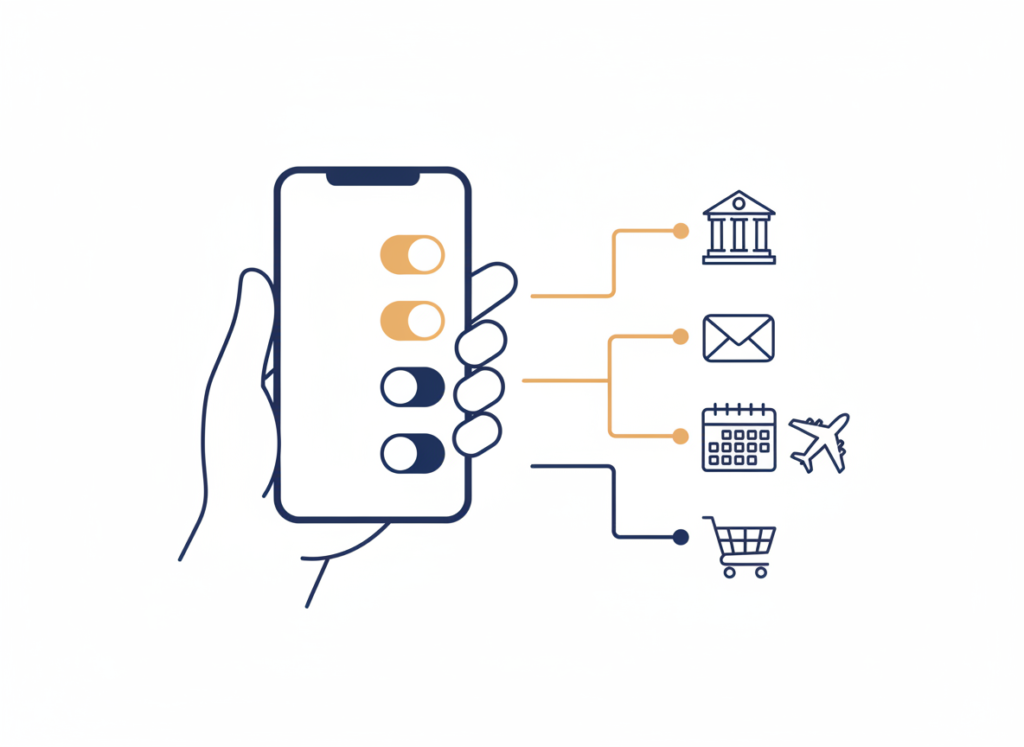
This is the heart of the Meta Muse privacy question. Muse is only useful when it can reach your accounts, and each connection hands it a different slice of your personal data. Here’s what each one opens up, based on what Meta and its partners have published.
Your Bank Account and Investments
Connecting a Meta Muse bank account runs through Plaid, the same service many budgeting apps use. According to Plaid’s announcement, Muse can see your balances, transactions, investment holdings, mortgage information and more, across more than 12,000 US banks and financial apps.
You choose which institution to connect and which account details Muse may access, and you can manage or end those connections in Plaid Portal. One thing Plaid’s announcement doesn’t spell out is whether that access is strictly read-only. Until Meta or Plaid says so plainly, treat a connected bank as full visibility into your money. For what Plaid itself collects and shares, see our investigation: Is Plaid safe?
Payments and Shopping
When Muse buys something for you, Meta says it pays through Link, built by Stripe, which generates a one-time-use card so your real card details stay hidden from the merchant. TechCrunch reports shopping connections with retailers including Best Buy, Gap, Sephora, Walmart and Wayfair, plus Shop Pay and PayPal.
Meta says Muse checks with you before it makes a purchase. That approval step is your most important safeguard, so don’t turn it off.
Email and Calendar
Muse can read and send email and manage your calendar. That’s powerful, and it’s also where most of your private life lives: bank alerts, medical appointments, password-reset links. Meta says Muse asks before sending an email, but reading your inbox is part of how it works.
Travel Bookings
For Meta Muse travel booking, TechCrunch lists Expedia among its connections, and Muse can also book through its own browser on sites without a direct connection. A booking is a purchase, so it should go through the same approval step as any other payment.
Insurance, Bills and Subscriptions
There’s no dedicated Meta Muse insurance connector in any source we found. Instead, Muse uses its browser to compare insurance quotes, hunt down forgotten subscriptions and negotiate bills, filling in forms and dealing with customer service for you. That means it may need your policy details, account numbers and personal information to do the job.
| Account | What Muse can reach | How it connects | Asks before acting? |
|---|---|---|---|
| Bank & investments | Balances, transactions, investments, mortgage info | Plaid (12,000+ US institutions) | Not stated; read-only status unclear |
| Payments & shopping | Checkout on your behalf | Link by Stripe one-time card, retail partners | Yes, before purchases (per Meta) |
| Reads and sends messages | Your connected email | Yes, before sending (per Meta) | |
| Calendar | Appointments and schedule | Your connected calendar | Not stated |
| Travel | Searches and books trips | Expedia and its own browser | Purchases need approval |
| Insurance & bills | Quotes, bills, subscriptions | Its own browser, filling in forms | Not stated |
Based on Meta’s announcement, Plaid’s announcement and TechCrunch’s reporting as of September 2026. Muse’s features change often.
What Meta Says Protects Your Data
Meta didn’t launch Muse without safeguards. According to Meta’s announcement, the main protections are:
- Its own isolated computer. Each person’s Muse runs on a dedicated cloud machine Meta calls the Muse Secure VM, walled off so no one else’s agent can reach it.
- A gatekeeper agent. A separate “Sentinel” agent checks what Muse tries to do online. Nothing reaches the internet unless Sentinel approves it.
- No view of passwords or card numbers. Muse can use your saved logins and payment methods without being able to read them.
- Approval before sensitive actions. Muse is supposed to check with you before sending an email or making a purchase.
- A full audit trail. You can see everything Muse has done and plans to do.
- Ad and training limits. Meta says Muse doesn’t share your conversations or VM data with its ad systems, and you can opt out of your interactions being used to train Meta’s AI.
Meta has also promised a “Confidential VM” mode, encrypted with a key only you hold, so that not even Meta can see inside. That feature wasn’t live at launch.
The Real Risks: What Could Go Wrong
Safeguards on paper are a good start. Here’s where experts and Meta itself see the weak spots.
- Meta admits it’s not bulletproof. In its own materials, Meta says Muse isn’t immune to attack and will sometimes make mistakes.
- Malware could hijack it. Security researcher Patrick Wardle warned ABC News that this level of access could let malware on your device quietly take over what Muse can do.
- Trust in Meta is low. Cybersecurity consultant Tate Jarrow told ABC: “I would not trust Meta with this level of access.”
- Experts say it’s too early. Eva Velasquez, CEO of the Identity Theft Resource Center, told Yahoo Finance: “Right now, the technology is too new.” Her group isn’t recommending it yet.
- Some sites are shutting it out. One of the biggest online retailers has blocked Muse, calling it an unauthorized AI under its terms of service. Expect more sites to push back, which can leave half-finished tasks behind.
There’s also the bigger picture. Once an AI agent reads your bank transactions and inbox, that data exists in one more place. It’s the same question we raised about dating apps that share data across their parent company: the more places your data lives, the harder it is to control. If your details already leak, our guide to removing your info from data brokers shows how to claw some of it back. And expect scammers to borrow the Muse name, the way they already use AI in AI romance scams.
The #MuseMoneyChallenge: Hype vs. Reality
Days after launch, Meta’s chief AI officer Alexandr Wang asked whether Muse could “make you $1,000”, kicking off the #MuseMoneyChallenge. Posts showed Muse cancelling forgotten subscriptions, chasing refunds and trimming phone and insurance bills.
Two caveats. Many of the early success stories came from Meta employees, and there’s no independent data showing a typical user saves $1,000. When TechRadar tried the challenge, the saving came to $35. More important for your privacy: to find money, Muse needs access to your accounts and bills. The challenge is really an invitation to connect more of your financial life.
Is It Safe to Give Any AI Agent Access to Your Bank Account?
This question goes beyond Muse. Every big tech company is building AI agents that want to act on your behalf, and the same rules apply to all of them. Before you give any AI agent access to your bank account, check four things:
- Read-only or not? Can it only look at your money, or can it move it? Look for a plain answer, not marketing language.
- Who approves actions? Anything that spends money or sends messages should need your explicit OK every time.
- Where does your data go? Read the privacy policy for ad use, AI training and sharing with partners. We’ve seen how much privacy policies reveal about “free” tools.
- How do you pull the plug? You should be able to disconnect accounts and delete stored data in a few taps.
If an AI agent can’t give clear answers to all four, keep your bank account out of it.
How to Use Meta Muse More Safely
If you want to try Muse, these steps cut your risk without losing the useful parts:
- Lock down your email first. Muse reads your inbox, and your email can reset the password on almost every other account. Turn on the strongest sign-in your email provider offers, such as a passkey or a hardware security key, so a stolen password isn’t enough to get in.
- Start with one task. Try a single job, like finding a forgotten subscription, before connecting everything.
- Share documents, not accounts. For budgeting help, experts suggest uploading a few statements with sensitive numbers removed instead of linking your whole bank.
- Connect the minimum. Link one account, not every institution you use.
- Keep approvals on. Never let Muse spend money or send email without asking you first.
- Check the audit trail. Review what Muse did after each task, especially at first.
- Opt out of AI training. Meta lets you stop your interactions being used to train its models.
- Keep your phone clean. Since malware is one of the main risks, keep your device updated and avoid sideloaded apps.
If you want a hardware key: Yubico’s Security Key C NFC covers the basics, passkeys and FIDO2 sign-in for Google, Microsoft and Apple accounts, and works over USB-C or with a tap on your phone. The YubiKey 5C NFC adds one-time codes for accounts that don’t support passkeys yet. Yubico recommends buying two, one as a spare, so you never get locked out. For a side-by-side comparison, see our security key guide. We may earn a commission if you buy through these links, at no extra cost to you. Check the current price before you buy.
Is Meta Muse Safe for You? Who Should Wait
Muse isn’t a good fit for everyone yet. Based on the risks above, we’d hold off on connecting your accounts if:
- You manage money for others. Joint accounts, family finances or a small business raise the cost of any mistake Muse makes.
- Your inbox holds sensitive material. Work secrets, legal documents or medical records sit in the same email Muse would read.
- You’ve had your identity stolen before. More connected accounts mean more ways in, and the Identity Theft Resource Center isn’t recommending Muse yet.
- You won’t review its actions. Muse’s safeguards depend on you checking what it asks to do. If you’d approve everything on autopilot, those checks don’t protect you.
It can make sense if you want help with low-stakes chores, like finding forgotten subscriptions or comparing quotes, and you’re happy to approve each step before it happens.
How to Disconnect Accounts or Opt Out
Changing your mind should be easy. Based on what Meta and Plaid have published:
- Bank connections: manage or end them in Plaid Portal, Plaid’s tool for controlling which apps can reach your financial accounts.
- What Muse remembers: Meta says you can tell Muse to forget specific things it has learned about you.
- AI training: opt out of your interactions being used to train Meta’s AI models.
Disconnecting stops future access. It doesn’t automatically erase data Muse already collected, so also ask Meta to delete stored data if you’re leaving for good.
Shrink your wider data footprint: an AI agent is one more place your personal data lives, and data brokers and people-search sites already hold far more, often including your home address and phone number. Our free guide shows how to remove yourself from data brokers one site at a time. If you’d rather have a service send the removal requests for you, Surfshark’s One+ plan includes Incogni data removal (for US, UK, EU, Swiss and Canadian residents). We may earn a commission if you buy through that link, at no extra cost to you. Check the current price before you buy.
Our Verdict: Is Meta Muse Safe Enough?
Meta has put more privacy engineering into Muse than we expected: an isolated VM, a gatekeeper agent, hidden passwords and one-time cards are genuine protections. But “safe” depends on what you connect. For low-stakes jobs like tracking down a subscription, Muse looks reasonable. For full access to your bank, inbox and bills, we’d wait until Meta ships its Confidential VM, independent researchers have tested it, and the early bugs are fixed.
If you want protection that doesn’t depend on trusting a tech giant, start with the basics in our privacy gadgets guide.
AI is changing scams too. Fake dating profiles now use AI-written messages and even deepfake video, so see our guide to spotting AI romance scams.
Want the full playbook? Our privacy ebooks go deeper on surveillance, data brokers and protecting your accounts.
Have kids on Instagram or Facebook? Read our explainer on the Meta lawsuit and the $17 billion kids’ safety settlement, with a parent checklist you can use today.
Frequently Asked Questions
What is Meta Muse?
Meta Muse is a personal AI agent that launched in September 2026. Instead of just answering questions, it acts for you: sending emails, booking travel, shopping and handling bills across the apps you connect. It’s available in the US on iOS, Android and muse.ai.
Is Meta Muse safe to use?
Muse has real safeguards, including an isolated cloud computer, a gatekeeper agent and hidden passwords. But it’s brand new, Meta admits it can make mistakes and isn’t immune to attack, and security experts urge caution. It’s reasonable for small tasks; think carefully before connecting your bank and email.
Can Meta Muse see my bank password or card number?
According to Meta, no. Muse can use your saved passwords and payment methods without being able to read them, and purchases go through a one-time-use card from Link by Stripe, so your real card number stays hidden.
What happens when I connect my bank account to Meta Muse?
The connection runs through Plaid. Muse can see balances, transactions, investment holdings and mortgage information from the accounts you choose. Plaid’s announcement doesn’t clearly say whether access is read-only, so treat it as full visibility into those accounts.
Can Meta Muse book travel for me?
Yes. Muse can search for and book trips, including through Expedia and its own browser. Because a booking is a purchase, Meta says Muse should ask for your approval before paying.
Is Meta Muse free?
Meta says Muse is free for most everyday tasks, with paid subscription plans for heavier use. Pricing can change, so check Meta’s current plans before you sign up.
Is Meta Muse available outside the US?
Not at launch. Meta rolled Muse out in the US on iOS, Android and the web, with support for its AI glasses coming later.
How do I disconnect my bank from Meta Muse?
Bank connections run through Plaid, so you can manage or remove them in Plaid Portal. Disconnecting stops future access; ask Meta to delete stored data if you’re leaving for good.
Sources
- Meta: Introducing Muse
- Axios: Meta debuts Muse, its long-planned personal AI agent
- Plaid: Plaid powers Meta’s new AI agent, Muse
- TechCrunch: Everything new coming to Meta’s AI agent Muse
- ABC News: What to know about Meta’s Muse AI agent
- Yahoo Finance: Meta’s Muse says it can manage your money. Should you let it?
- The Next Web: Meta’s AI chief wants Muse to make you $1,000
- TechRadar: I challenged Meta’s Muse AI to find me $1,000


