
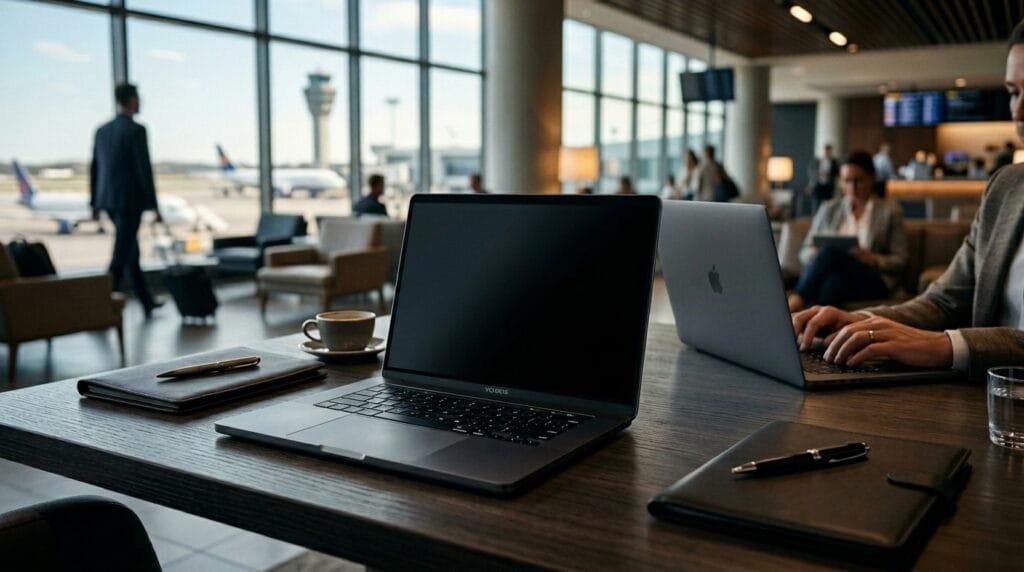
The Coffee Shop Threat: Why You Need a Laptop Privacy Screen

Best laptop privacy screen 2026 — working in a coffee shop, airport, or open office means anyone standing behind you can read your screen. A privacy filter solves this by narrowing the viewing angle, but not all filters work equally.
We tested 3M Gold, generic budget privacy screens, and magnetic attachable filters to find the best laptop privacy screen 2026 for security, brightness, and durability.
“Visual hacking” is the easiest, lowest-tech way for bad actors to steal proprietary company data, client emails, or your personal bank details. If you are working in public, a laptop privacy screen isn’t an accessory—it is an absolute necessity. But which ones actually block side-snoopers without ruining your display quality?
We tested the market leaders to find the absolute best privacy screens for laptops in 2026.
When choosing the best laptop privacy screen 2026, you must balance three factors: viewing angle blocking, screen brightness loss, and installation method.
Top Picks: The Best Privacy Screens for Laptops
1. The Premium Standard: 3M Laptop Privacy Filter
When it comes to visual privacy, 3M is the undisputed gold standard. In fact, they pioneered the micro-louver technology that makes these screens work. Think of micro-louvers like microscopic vertical blinds covering your screen. Look straight at your laptop, and the blinds are open. Look from an angle, and they shut completely.
Why PrimeDigger Recommends It:
- True Blackout Privacy: It enforces a strict 60-degree viewing angle. Anyone sitting beside you will just see a completely black screen.
- Reversible Finish: The screen comes with a glossy side for maximum clarity and an anti-glare coating on the matte side to reduce reflections under harsh office lights.
- Eye Protection: Beyond just stopping visual hacking, the 3M filter provides up to 35% blue light reduction, saving you from eye strain during long working sessions.
2. The Best Magnetic Option: Kensington MagPro
If you frequently collaborate with coworkers and need to share your screen, wrestling with adhesive strips is frustrating. Kensington is legendary in IT security, and their MagPro line solves this problem flawlessly.
Why PrimeDigger Recommends It:
- Seamless Removal: The patented magnetic strip snaps perfectly to the top of your screen, allowing you to attach and detach the filter in less than a second.
- Modern Design: It is specifically engineered to accommodate modern bezel-less displays and edge-to-edge glass without blocking your webcam.
- Corporate Trusted: Kensington is the brand most often deployed by enterprise IT departments for their own employees.
3. The Best Budget Choice: SightPro Privacy Screen Filter
If you want top-tier privacy without the premium brand-name markup, SightPro is the runaway favorite. It offers near-identical specifications to the top-tier brands at a fraction of the cost, making it perfect for students and digital nomads.
Why PrimeDigger Recommends It:
- Universal Fit: Whether you have a 13-inch MacBook or a massive 17-inch gaming rig, SightPro has an exact dimension match.
- Two Mounting Options: It comes with both permanent clear adhesive strips and removable slide-mount tabs, giving you total installation flexibility.
- Scratch Protection: It doubles as a heavy-duty physical screen protector to defend your actual laptop display from keyboard scratches and dust.
Magnetic vs. Adhesive: Which is Better?
When shopping for the best privacy screens for laptops, the biggest decision is how you attach it to your screen.
- Choose Magnetic if you frequently collaborate, present to clients, or only work in public spaces occasionally. They are effortless to remove but can sometimes slightly block a laptop from closing 100% flush.
- Choose Adhesive (or Slide-Mounts) if you want a permanent set-it-and-forget-it solution. They offer the sleekest profile and ensure your laptop closes perfectly every time.
Is a Privacy Screen Better for Your Eyes?
Yes. Beyond security, almost all modern privacy screens act as a physical filter between your eyes and the harsh light of your monitor. By incorporating anti-glare coatings to stop overhead light reflections and blue light reduction technology, a good privacy screen significantly cuts down on digital eye fatigue and headaches during long work days.
The PrimeDigger Verdict
You cannot control who sits next to you, but you can control what they see. For the absolute highest quality image and privacy, the 3M Privacy Filter remains unmatched. However, if you value the convenience of snapping your screen on and off, the Kensington MagPro is the smartest investment you can make for your physical cybersecurity setup.
Frequently Asked Questions
Do privacy screens really work?
Yes. High-quality privacy screens like 3M Gold reduce side-angle visibility to near-zero at 30 degrees. Cheap generic screens only work at 45 degrees and can still leak text to someone standing directly behind you. The difference is the micro-louver technology — 3M uses precision-engineered layers that cheaper brands skip.
Are privacy screens bad for your eyes?
No. Most modern privacy screens include anti-glare coatings and blue light reduction that actually reduce digital eye strain. They act as a physical filter between your eyes and harsh monitor light. 3M and Kensington both include these features standard.
What is the best laptop privacy screen?
The best laptop privacy screen depends on your use case. 3M Gold offers the strongest side-angle blocking and image clarity, making it ideal for financial and legal work. Kensington MagPro is best if you need to snap it on and off frequently. Avoid the cheapest generic options — they crack easily and block poorly.
How do I choose a privacy screen for my laptop?
Measure your screen diagonally and match the size exactly. Then decide between adhesive, slide-mount, or magnetic attachment. Adhesive is permanent and slim. Magnetic is fastest to remove. Check that the screen matches your aspect ratio (16:9 is standard) or you will get gaps.
Can you see through a privacy screen from the front?
No. When viewed head-on, a privacy screen looks almost identical to a normal display. The filtering only activates at side angles. 3M Gold maintains 95% front-view clarity, while cheap brands can look dim even from directly in front.
Is a magnetic privacy screen better than adhesive?
Magnetic privacy screens are better if you switch between private and normal viewing often — they attach in 2 seconds with no residue. Adhesive screens sit flatter and are more secure for permanent setups. For daily commuters, magnetic wins. For desk-only use, adhesive is fine.
Do privacy screens protect against blue light?
Most modern privacy screens include blue light filtering as a secondary feature. 3M Gold filters up to 35% of blue light. Kensington MagPro filters around 30%. This is not as strong as dedicated blue light glasses, but it helps reduce eye fatigue during long work sessions.
Are 3M privacy screens worth the money?
Yes — if you handle sensitive data in public. 3M Gold costs roughly 3× more than generic screens, but it blocks angles 40% tighter and lasts years without bubbling or peeling. For casual coffee shop use, a mid-range magnetic screen is sufficient. For HIPAA, legal, or financial work, 3M is essential.