Reader-supported: we may earn a commission from links on this page.
Table of Contents
Quick answer: Most free VPNs are not safe for anything sensitive. A major study of 283 Android VPN apps found that over 38% showed signs of malware, 18% didn’t encrypt traffic at all, and 75% used third-party tracking libraries. A few reputable free plans exist, such as Proton VPN’s free tier, but for banking, travel and everyday privacy a paid VPN with an audited no-logs policy is the safer choice.
Running a global VPN network costs a lot of money. So if a VPN app doesn’t charge you, it has to make money another way: ads, data collection, or upselling you to a paid plan. Before you install one, it helps to know what researchers have actually found inside these apps.
In a 2016 study, researchers from Australia’s CSIRO, UNSW, ICSI and UC Berkeley analyzed 283 Android apps that use the VPN permission. Beyond the malware, encryption and tracking problems above, 82% asked for access to sensitive data such as contacts and text messages, and 16% routed traffic through other users’ devices. The study is now about a decade old, but the business model that caused these problems hasn’t changed.
The Freemium Illusion: What You Actually Agreed To
Before we look at the specific data traps, it’s vital to understand the difference between a “Free Tier” and a “Free App.”
A reputable company like ProtonVPN offers a free tier with slower speeds to convince you to eventually buy their premium product. Their business model relies on paid users. A 100% free VPN app, however, relies entirely on you. When you click “I Agree” on their Terms of Service, you are often legally consenting to become the product.
Here is exactly what the fine print of popular free VPNs allows them to do:
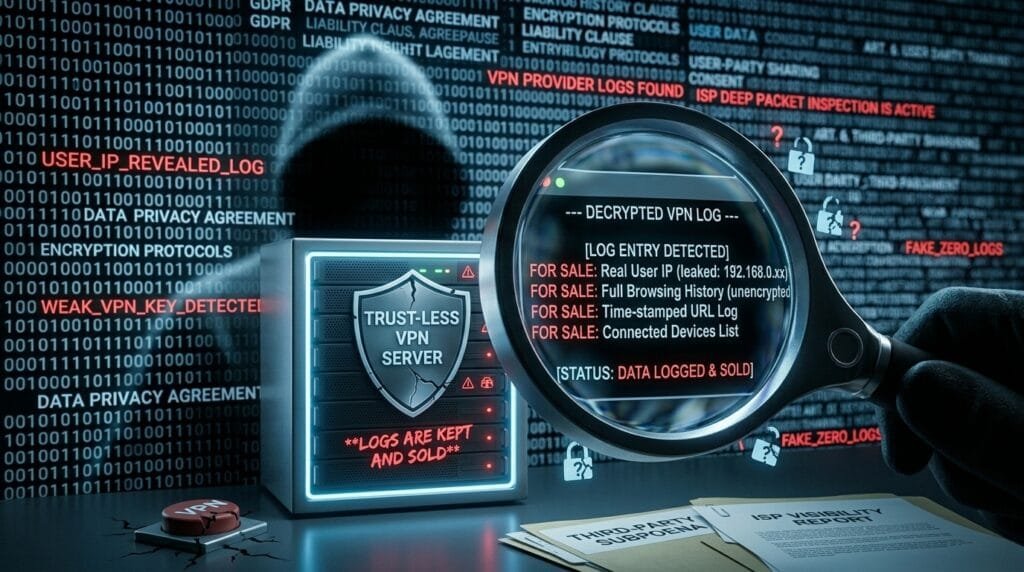
- Logging Your Digital Footprint: The number one rule of a good VPN is a strict “No-Logs” policy. Yet, our investigation revealed that many free apps explicitly state they track your IP address, your bandwidth usage, and the timestamps of your connections.
- Selling to Third-Party Data Brokers: Why do they log your data? To sell it. The privacy policies frequently contain buried clauses giving them permission to share your “anonymized” browsing habits with advertising networks. You downloaded an app to avoid trackers, and instead, handed your browsing habits to ad networks.
- The Bandwidth Hijack: Perhaps the most alarming discovery in the fine print of certain free desktop VPNs is the “peer-to-peer” routing clause. Instead of paying for secure servers, the company uses your device’s internet connection to route the traffic of other users. You are unwittingly lending your IP address to strangers. When you realize your device is being used as a server for strangers, the answer to the question “are free VPNs safe” becomes an obvious no.
Are Free VPNs Safe? Watch Out For These Red Flags

You don’t need to be a cybersecurity expert to identify a dangerous app. Before you download any privacy tool, run it through this quick PrimeDigger checklist:
- The Permissions Test: Go to the app’s settings in your phone. Does the VPN ask for permission to access your camera, microphone, or GPS location? A real VPN only needs to route your network traffic. If it wants your camera, it is spyware.
- The Missing Audit: Trustworthy privacy companies hire external, independent cybersecurity firms (like Deloitte or PwC) to hack their systems and verify their “No-Logs” claims. If a free VPN cannot link to a recent third-party audit, their promises are essentially meaningless.
- The “Who Owns This?” Check: Scroll to the bottom of their website or app store page. Can you find a real corporate address? Many predatory free VPNs are operated by shadow companies with no physical headquarters, making them unaccountable to data protection laws like GDPR.
Still seeing a VPN on your iPhone after uninstalling the app? Go to Settings → General → VPN & Device Management and look for a configuration profile from that VPN. Remove it only if you recognize it as the profile you installed for the VPN. If the phone is managed by work or school, ask its administrator before removing a profile. Apple explains how profile removal works.
The PrimeDigger Verdict: What You Should Do Instead
So, are free VPNs safe? The data leads to an uncomfortable truth: Using a shady, 100% free VPN is statistically more dangerous for your digital privacy than using no VPN at all. You are taking your data out of the hands of your local internet provider and giving it directly to unregulated data brokers.
If you want actual security, especially when logging into bank accounts on public Wi-Fi or avoiding AI trackers, you have to pay for the infrastructure.
The Safe Alternatives:
The Best Premium Protection: For fast streaming, safer banking on public Wi-Fi and a no-logs policy, choose a paid service. We recommend NordVPN or Surfshark, both of which publish independent audits of their no-logs claims. Check the current price, since both run frequent discounts on longer plans.
Before you choose, see whether Surfshark is safe, including the server incident it disclosed in 2026.
The Best “Freemium” Option: If you absolutely cannot pay, use the free tier of ProtonVPN. It is slow and restricts which countries you can connect to, but it is built by Swiss scientists, features independently audited code, and does not sell your data.
Want more consumer truth? Head back to the PrimeDigger homepage for our latest investigations.
Want to go further? See our printable kits and deep-dive guides →
Does a free VPN browser extension protect my whole device? A standalone extension such as Proton VPN’s browser extension covers traffic in the browser where it’s running. A desktop messaging app or a second browser can still connect outside it. If you need those apps to use the VPN too, use the provider’s device app and check whether any apps are excluded by split tunneling.
Frequently Asked Questions
Do free VPNs actually sell my data?
Many do, though rarely in plain language. Our investigation found that several popular free VPN privacy policies contain clauses permitting them to share your “anonymized” browsing habits with advertising networks and third-party data brokers, the exact kind of tracking a VPN is supposed to prevent in the first place.
Is using a free VPN actually worse than using no VPN at all?
In some cases, yes. A shady, 100% free VPN doesn’t just fail to protect you. It can actively redirect your data away from your local internet provider and straight into the hands of unregulated data brokers, which is arguably a worse outcome than having no VPN running at all.
Why is ProtonVPN’s free tier considered trustworthy when most aren’t?
ProtonVPN’s business model relies on converting free users to paid subscribers, not on selling data, a fundamentally different incentive structure than an app with no paid tier at all. It’s also built by Swiss scientists with independently audited code, even though the free tier is slower and limits which countries you can connect through.
What permissions should I be suspicious of in a VPN app?
A legitimate VPN only needs permission to route your network traffic. If an app requests access to your camera, microphone, or GPS location, that’s a strong signal it’s doing more than VPN functionality alone. Treat that as a red flag, not a formality to click past.
How do I check if a VPN’s “No-Logs” claim is actually true?
Look for a recent, named independent audit. Reputable providers hire external cybersecurity firms to verify their no-logs claims and publish the results. If a free VPN can’t point to a specific, recent third-party audit, the claim is effectively unverified marketing copy.