Disclosure: As an Amazon Associate, PrimeDigger earns from qualifying purchases. We research products using maker documentation and public sources. We did not test these products.
Short answer: AirTag battery replacement takes about a minute and needs no tools. Press down on the steel cover and twist it counterclockwise, swap in a new CR2032 lithium 3V coin battery with the positive side facing up, wait for the sound, then twist the cover back on. Apple says an AirTag runs for more than a year on one battery, and your iPhone tells you when it is low.
AirTag Battery Replacement in 5 Steps

These are Apple’s own steps for AirTag battery replacement, in order:
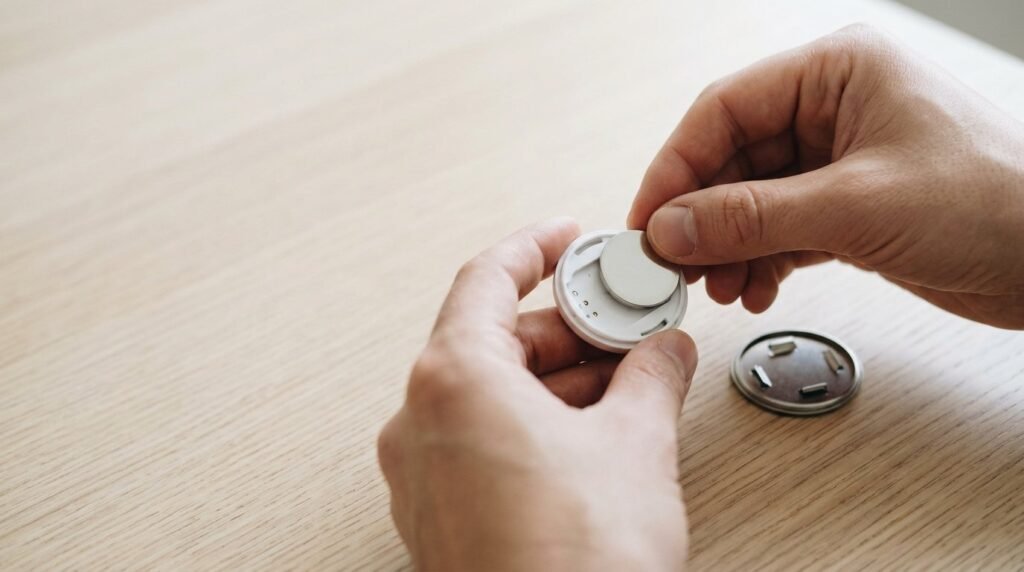
- Open it. Press down on the polished stainless steel battery cover and rotate it counterclockwise until it stops.
- Take out the old battery. Lift off the cover and remove the battery.
- Insert the new one. Use a CR2032 lithium 3V coin battery, positive side facing up. You should hear a sound. That sound means the battery is connected.
- Line up the cover. Match the three tabs on the cover with the three slots on the AirTag.
- Close it. Rotate the cover clockwise until it stops.
No sound when you drop the battery in? Check that the positive side faces up and press the battery down flat. If you used a battery with a bitter coating, read the next section.
Which Battery Does an AirTag Use?
Every AirTag uses a standard CR2032 coin cell. Apple lists it as a user-replaceable battery, and the current AirTag (2nd generation) uses the same type. You can buy CR2032 cells almost anywhere.
The catch most guides skip: many CR2032 packs now come with a bitter coating, added so children spit them out. Apple recommends a bitter-coated battery for child safety and names Duracell’s 2032 with bitter coating as an example. But Apple also warns that some bitter-coated CR2032 batteries might not work with an AirTag. Its advice is to look for packaging that says “Compatible with Apple AirTag.”
How to Check Your AirTag Battery Level
You don’t need to guess. When the battery gets low, your iPhone shows a notification. To check it yourself, open the Find My app, tap the Items tab and tap your AirTag. If the charge is low, you’ll see “Low Battery” under its name.
How Long Does an AirTag Battery Last?
Apple says an AirTag works for more than a year on a standard battery. In its footnote, Apple says that figure comes from its own December 2025 testing of preproduction AirTag (2nd generation) units, based on average everyday use of the sound and Precision Finding. Apple adds that real battery life changes with how you use it, the environment and the replacement battery brand. So if you ring your AirTag often, expect to change the battery sooner.
How to Reset an AirTag
A normal battery swap is not a reset. You only need a reset when an AirTag is moving to a new owner. Apple says an AirTag can belong to one Apple Account at a time. So the previous owner must first remove it from their account in Find My. If they removed it while the AirTag was out of their Bluetooth range, you must reset it before you can set it up.
Reset an AirTag (1st generation)
- Press down on the cover, rotate it counterclockwise and remove the cover and battery.
- Put the battery back and press down on it for about 2 seconds until you hear a sound.
- When the sound finishes, remove and replace the battery four more times, pressing down each time until you hear a sound.
- You should hear five sounds in total. The fifth sounds different. That means the AirTag is ready to pair. If the fifth sound isn’t different, keep going.
- Line up the three tabs, press down on the cover and rotate it clockwise until it stops.
Reset an AirTag (2nd generation)
- Open the cover the same way and put the battery back in.
- Press down on the battery for about 2 seconds until you hear a sound, then keep pressing for 2 more seconds.
- When the sound finishes, remove the battery and wait 12 seconds.
- Repeat this four more times. The fifth sound is different and means the AirTag is ready to pair. Apple notes you may need to press the battery for 12 seconds to hear that fifth sound.
- Replace the cover and rotate it clockwise until it stops.
AirTag Not Working After a Battery Change?
Apple’s battery and reset pages don’t include a troubleshooting list, so start with what they do say:
- No sound at all: the battery isn’t making contact. Check that the positive side faces up.
- Bitter-coated battery: Apple says some may not work. Try a cell whose packaging says it is compatible with Apple AirTag.
- Cover won’t lock: line up the three tabs with the three slots before you twist.
- Bought it used: it may still be on the last owner’s Apple Account. Ask them to remove it, then reset it with the steps above.
If none of that helps, contact Apple Support.
Keep Coin Batteries Away From Kids
This part matters more than any setup step. Apple warns that a swallowed coin battery can cause internal chemical burns in as little as 2 hours, and that death or serious injury can happen. Keep new and used batteries out of children’s reach. If you think a child swallowed one, get medical help right away. Apple also notes the AirTag, its cover and the battery can be a choking hazard for small children. This is the reason bitter-coated batteries exist.
Found an AirTag That Isn’t Yours?
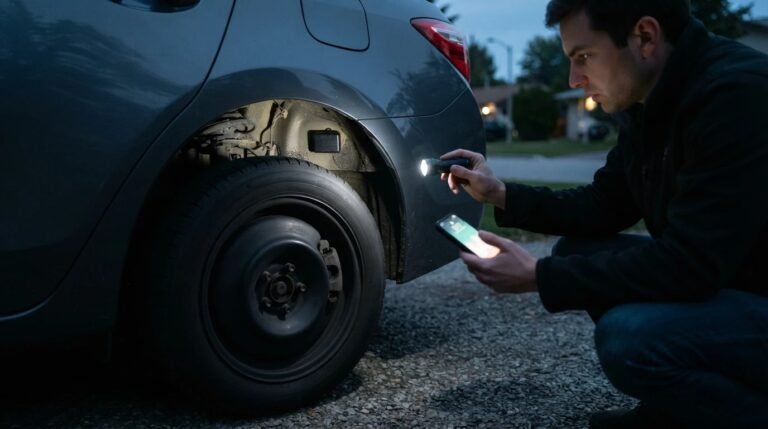
Some people search for battery steps because they found an AirTag in a bag or car and want to switch it off. Without a battery it has no power, so it can’t report where it is. Before you take it out, read our guide to the “AirTag Found Moving With You” alert, which covers what to do first if you feel unsafe. On Android, see what an Android phone can and can’t do with an AirTag.
The PrimeDigger Verdict
AirTag battery replacement is a one-minute job: twist, swap the CR2032 positive side up, listen for the sound and twist back. The one thing worth getting right is the battery itself. Pick a child-safe cell whose packaging says it works with AirTag, and store the spares where kids can’t reach them.
Frequently Asked Questions
What battery does an AirTag take?
A CR2032 lithium 3V coin battery, inserted with the positive side facing up.
Can you replace the battery in an AirTag (2nd generation)?
Yes. Apple lists a user-replaceable CR2032 coin cell for the current AirTag.
Does changing the battery reset an AirTag?
No. A normal swap makes one sound to show the battery is connected. A reset needs the battery removed and replaced five times until you hear a different fifth sound.
How do I know when my AirTag battery is low?
Your iPhone shows a notification. You can also open Find My, tap Items, then your AirTag, and look for Low Battery under its name.
Why won’t my new battery work in my AirTag?
Check that it is in positive side up. Apple also says some bitter-coated CR2032 batteries might not work, so try one marked compatible with Apple AirTag.
Sources
- Apple Support: How to replace the battery in your AirTag
- Apple Support: How to reset your AirTag
- Apple: AirTag (tech specs and battery life footnote)