
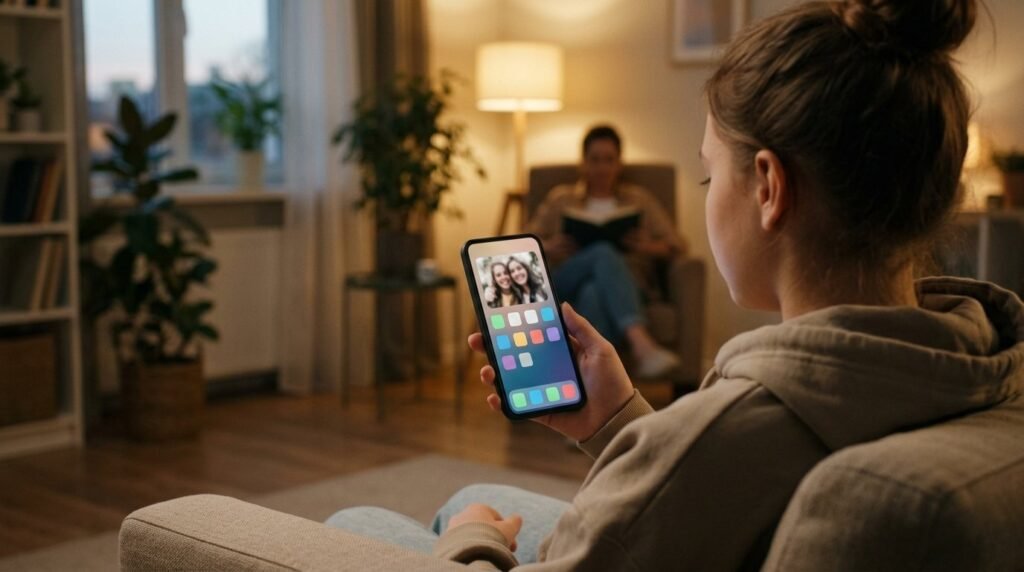
The Locket app puts a friend’s photo directly on your child’s phone home screen, and your child can send photos back the same way. Locket’s terms bar anyone under 13 and require parent or guardian approval for anyone under 18. If your teen just asked for it, here is what the app does and what its own documents say about safety, data and parent tools.
We read Locket’s terms, privacy policy, help center and both app store listings on November 8, 2026. We did not test the app on a child’s phone, so this guide reports what those documents say and where they don’t line up. It is part of our Kids’ Online Safety guides.
Quick answer
- What it is: a photo-sharing app for close friends, built around a home screen widget. It also has chat and a weekly photo roundup.
- Minimum age: 13 in Locket’s terms. The US App Store rates it 13+, and Google Play rates it Teen.
- Parent tools: we found no parent dashboard or linked parent account. Locket points parents to iPhone Screen Time for time limits.
- Our read: Locket is built to limit contact from strangers, but that doesn’t make it private. The free version has ads, Locket shares data with advertising partners, and a sent photo can’t be pulled back from a friend’s phone.
What is the Locket app?
Locket, also listed as Locket Widget, is made by Locket Labs, Inc. Your child adds a widget to the home screen, and new photos from friends appear there. Locket’s help center describes three main parts:
- The widget: photos from friends show up on the home screen.
- Chat: friends can reply to each other’s photos and send messages inside the app.
- Rollcall: a weekly photo dump. Every Sunday, users are prompted to share 10 favorite photos from the week with their friends.
Photos also stay in a history. Locket’s guide for parents says “photos on Locket don’t disappear.” So this is not a disappearing-message app, and your child should not treat it like one.
Is the Locket app safe?
Locket’s design removes some common risks, and its own help pages explain how. But several claims need context once you read the terms, the privacy policy and the store listings side by side.
| What you may hear | What Locket’s documents show |
|---|---|
| You can only have 20 friends. | That is the store listing, and it describes the free app. Locket Gold, the paid tier, includes “Unlimited Friends.” |
| Strangers can’t reach your teen. | Locket says there is “no easy way” for a teen to meet new people, and friend requests must be accepted. But friends can also be added by username, by invite link or from a suggestion. Locket doesn’t explain how suggestions are chosen. |
| Every photo is checked. | A 2026 help page says every photo and video is automatically reviewed with AI. The terms, effective in 2022, say the company “does not pre-screen content.” The help page is newer, but no automated system catches everything. |
| You can delete what you send. | You can delete photos in the app. But the privacy policy says a sent photo can’t be deleted from other users’ phones. |
The practical risk, then, is less about strangers and more about friends. A photo sent in a moment of trust can stay on someone else’s phone. Locket’s pages we read don’t say whether friends can screenshot or save photos, so assume they can.
Locket age rules and ratings
- Terms: anyone under 13 is “not authorized” to use the service. Anyone under 18 may use it only with a parent’s or guardian’s approval.
- Apple: the US App Store rates it 13+. It lists infrequent profanity, alcohol or drug references and sexual content, and it notes advertising, messaging and user-generated content. Some listings outside the US show 12+.
- Google: Google Play rates it Teen and notes that it contains ads.
The privacy policy says Locket collects a birthday as day and month. Those two fields can’t show a user’s age on their own, and the help pages we read describe no age check. So the 13 rule depends largely on families following it.
What data the Locket app collects and shares
Here is what the privacy policy, last updated November 27, 2023, and the store listings say:
- Account details: phone number, email, full name and birthday (day and month).
- Contacts: only with permission. Locket’s help page says your child can say no and that contacts aren’t shared with advertisers.
- Advertising: partners can receive IP address, advertising ID and device type for interest-based ads. The policy says this “may be considered a ‘sale’ or ‘sharing'” of personal data under applicable laws.
- Location: the policy mentions general location such as city or state. The App Store lists coarse location, not precise location.
- Chats: Locket may review messages if a user reports one or it detects a possible safety violation.
Locket does say “We don’t sell your photos and videos.” That covers photos and videos, not the advertising data above. The Common Sense Privacy Program gave Locket a “Warning” rating in an evaluation dated April 25, 2024, which is worth a look even though it is more than two years old. To limit ad sharing, the policy says to use the “Your Privacy Choices” link in the app.
Locket Gold: what the paid version changes
Locket is free to download, and Locket Gold is an optional subscription bought inside the app. Gold includes unlimited friends, uploads from the camera roll, longer videos, streak restoration, no ads and custom badges and icons. Check the current price in the app before you agree.
Two of these matter for parents. Unlimited friends removes the small-circle limit the free app is known for. Camera roll uploads mean your child can share older saved photos, not only new ones.
How to set up the Locket app for your teen
There is no parent mode to switch on, so setup happens on your child’s phone and in conversation.
- Decide on contacts access. Your child can decline it and add friends by username or link instead.
- Review the friend list together. Agree that only people your child knows in real life get added, and that invite links aren’t posted publicly.
- Limit ad sharing. Find the “Your Privacy Choices” link in the app.
- Set a time limit. Locket has no in-app limit and points parents to Screen Time. On iOS 27 the tool is called Time Allowances, under Settings, Family, then your child’s name. See our guide to parental controls on iPhone. On Android, use Google Family Link.
- Show your child how to block. Go to the Friends tab, tap the X beside the name, then choose “Block friend.”
- Show your child how to report. On a photo, tap Share, then Report. On a chat message, long-press, then Report. Locket says the sender isn’t notified.
To delete the account: open Locket, tap the profile photo, scroll down and choose “Delete account”, pick a reason and type DELETE. Locket says this is permanent and doesn’t cancel a Gold subscription, so cancel that first in the App Store or Google Play.
Questions to ask your child about Locket
- Who are your friends on it, and do you know each of them in person?
- What would you do if someone shared your photo with other people?
- What would you do if a photo or message made you uncomfortable?
- Does it feel like you have to post, or keep a streak going?
Write your answers into your family’s rules. Our free phone contract for kids has room for this. For device-level oversight, compare the best parental control apps, and see our Instagram parental controls guide if your teen uses both apps.
Family Tech Setup Kit
Setting up your child’s phone? Our printable kit includes a teen phone agreement (13 to 17), a games and console agreement, and one-page setup checklists for iPhone, Android, PS5, Xbox, Switch, Roblox, Fortnite, Minecraft and Instagram.
If your teen mentions other chat apps, read our guide to the Kik app. It works very differently, and its own terms limit it to adults 18 and older. If a team or club asks your teen to join a group chat, see our GroupMe app guide.
Frequently Asked Questions
Is Locket safe for 12 year olds?
Locket’s terms don’t allow anyone under 13, so a 12 year old isn’t authorized to use it. The help pages we read describe no age check, so parents have to enforce this themselves.
Is Locket social media?
Yes, in a smaller form. Users share photos and chat with friends they add. Locket describes itself as built for close friends and says it avoids algorithmic feeds.
Can parents see what their child sends on Locket?
We found no parent dashboard or linked parent account in Locket’s help center. A parent would see only what a child shares with them as a friend on the app.
Does Locket have a friend limit?
The store listings say 20 friends. Locket’s help center lists unlimited friends as a feature of Locket Gold, the paid subscription.
Can you delete a photo you sent on Locket?
You can delete it in the app. But Locket’s privacy policy says a sent photo can’t be deleted from other users’ phones, even if you delete it from your own.
Does the Locket app cost money?
It is free to download. Locket Gold is an optional subscription sold inside the app, so check the current price there. You can block purchases with your phone’s parental controls.
Sources
All sources checked November 8, 2026.
- Locket, Terms of Service (effective May 25, 2022).
- Locket, Privacy Policy (last updated November 27, 2023).
- Locket Help Center, How does Locket stay safe for teens?
- Locket Help Center, How does Locket protect teens from strangers?
- Locket Help Center, How does Locket keep the platform safe?
- Locket Help Center, What is Locket Gold?
- Apple App Store, Locket Widget listing (US).
- Google Play, Locket Widget listing (US).
- Common Sense Privacy Program, Locket Widget privacy evaluation (April 25, 2024).
- Google For Families Help, Get started with Family Link.