
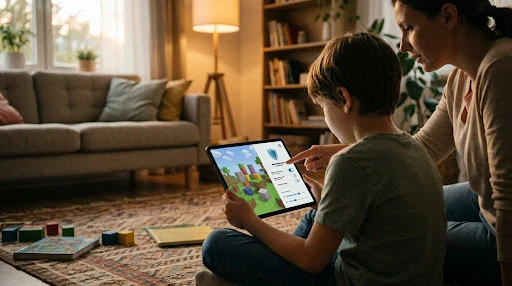
Quick answer: Roblox changed its kids’ accounts in 2026. Children are now placed in Roblox Kids (ages 5 to 8) or Roblox Select (ages 9 to 15), with a filtered game catalog. Nobody can chat until they complete an age check by face scan or ID, and chat is off for kids under 9. To use Roblox parental controls, link your own Roblox account to your child’s. You can then set content maturity, turn chat off, cap monthly spending and set a daily screen time limit. The catch: spending and screen time controls stop at 13, and the monthly spending limit doesn’t apply to gift cards.
Reader-supported: we may earn a commission from links on this page. As an Amazon Associate we earn from qualifying purchases.
Part of our Kids’ Online Safety guides: phones, watches, games and apps.
Table of Contents
Key Findings
- 3 account types since June 16, 2026: Roblox Kids (5 to 8), Roblox Select (9 to 15) and standard Roblox (16+), in most regions.
- No age check, no chat. Roblox says users who haven’t completed an age check “cannot chat on Roblox, regardless of their age.”
- 1.4 years: the average error of Roblox’s facial age estimation for users under 18, according to third-party labs cited by Roblox.
- Controls shrink with age. From 13, your child manages their own screen time and blocking, and spending limits no longer apply. From 16, parents only get notifications.
- Gift cards bypass the spending limit. Roblox’s help center says the monthly limit “does not impact gift card redemption.”
Roblox Kids, Roblox Select and Standard Accounts
According to Roblox’s May 2026 announcement and its June 2026 global launch, every user is placed in an account type based on age:
| Account | Ages | Chat by default | Games |
|---|---|---|---|
| Roblox Kids | 5 to 8 | Off (a linked parent can allow in-game chat) | Rated Minimal or Mild, with an extra review |
| Roblox Select | 9 to 15 | Unlocks gradually by age, with similar-age players and Trusted Friends | Rated Minimal, Mild or Moderate, with an extra review |
| Standard Roblox | 16+ | On | All rated games except Restricted (18+) |
Kids and Select catalogs leave out social hangout games, free-form drawing games, games about sensitive issues, gameplay clip sharing and one-to-one in-game chat. Roblox says developers of these games must verify their ID and turn on two-factor authentication.
How Roblox Age Checks Work
- Two options: a Facial Age Estimation using the device camera, or a government ID. Roblox says “All images and video are deleted after processing.”
- Accuracy: Roblox says third-party labs certified the estimation within 1.4 years on average for users under 18. It’s more accurate than a typed-in birthday, but not perfect.
- Wrong age? Parents can correct their child’s birthday once in Parental Controls. Roblox may also ask for a new check if a user seems much older or younger than their profile says.
- Who chats with whom: per Roblox’s safety FAQ, kids 5 to 8 can only be matched with users under 13, 9 to 12 with users under 16, and 13 to 15 with ages 9 to 17.
How to Set Up Roblox Parental Controls (Link Your Account)
A linked parent account is your own Roblox account connected to your child’s. These steps are from Roblox’s help center:
- On your child’s account, open Settings (the gear icon on desktop, or More, then Settings on mobile).
- Go to Parental Controls and select Add parent.
- Sign in or create your own Roblox account. The email must match the one Roblox sends the request to.
- Verify your age with a government ID or credit card.
- Select Agree to link to your child’s account.
- Manage everything from your own device: Settings, then Parental controls, then your child’s name, then Settings you manage.
No Roblox account? Roblox is rolling out Parent mode: your child taps Ask in Person and hands you their device. You verify you’re an adult (face check, credit card hold or ID) and set a 6-digit PIN for future approvals. Real-time alerts, like spending notifications, need a linked account.
How to Turn Off Chat on Roblox
From your child’s page, go to Settings you manage, then Communication. According to Roblox’s parental controls guide:
| Setting | What it does | To turn off |
|---|---|---|
| Experience chat | Chat with trusted friends and similar-age players in the same game | Set to Off. Under 9 needs parent consent to turn it on |
| Direct chat | Chat directly with players in the same game, including non-friends | Set to Off. Under 13 needs parent consent to turn it on |
| Chat and party with friends | Group up with friends to chat and join games | Set to Off, and set Friends chat to No one |
| Gameplay coordination | Short preset phrases called Quick Words | Set Quick Words to Off |
Note: these settings cover Roblox’s own chat, not chat features a game creator adds. Roblox says its chat filters are designed to block personal information, links, images and videos.
Content Maturity: Which Games Your Child Can Join
In Content restrictions, move the Content maturity slider to Minimal, Mild, Moderate or Restricted. You can also block or allow specific games. Games rated “Content May Vary” aren’t available to children under 9. For ages 9 to 15, you can allow a specific game one at a time.
Spending Limits and Screen Time
| Control | How it works | Ages |
|---|---|---|
| Monthly spending limit | Any amount from 0 to 10,000 in your currency; resets each calendar month. Default: no limit | Under 13 |
| Spending notifications | All transactions, high-spend alerts ($100, $250, $500 a month) or none | Linked parents |
| Daily screen time limit | 15-minute steps; your child is locked out for the day once it’s reached | Under 13 |
| Top games and weekly email | See the 20 games they played most last week | All ages |
The gift card gap: the monthly limit doesn’t cover gift card redemption. Some families use a fixed-value card, like a 1,000 Robux digital gift card, as a set budget instead of saving a credit card on the account. It has about 85,000 ratings and a 4.5-star average. Check the current price
Playing on a console? Also set limits there: see PS5, Xbox and Switch parental controls. On an iPhone or iPad, use Screen Time as a second layer.
What Roblox Can’t Stop: Predators and Warning Signs
Roblox’s filters and age checks lower the risk, but no setting removes it. Roblox’s own safety FAQ warns about the biggest danger: people trying to move children to “other websites or apps,” where “it can be more challenging for Roblox and law enforcement to investigate and take swift action.”
- Watch for: a new “friend” asking your child to chat on another app, offering free Robux, asking for photos, or asking them to keep secrets.
- Teach your child: never share their real name, school, address or other usernames, and tell you about anyone who makes them uncomfortable.
- Use the tools: block and report from your child’s friend list. For kids under 13, you can block connections yourself in Parental Controls.
- Know the blind spot: on iPhones, monitoring apps like Bark list Roblox as having no coverage. See our parental control apps comparison.
Why Roblox changed so much: 10 states and dozens of families are suing over child safety. See the Roblox lawsuit explained: who’s suing, what has settled, and whether Roblox is getting shut down.
Is Roblox Safe for a 7-Year-Old? An Age-by-Age Guide
| Age | Our suggestion |
|---|---|
| Under 5 | Roblox’s new accounts start at 5. Consider a simpler tablet setup first: see the best tablets for kids. |
| 5 to 8 | Roblox Kids. Keep chat off, keep content at Minimal or Mild, link your account and set a daily limit. |
| 9 to 12 | Roblox Select. Allow chat only after an age check, approve each Trusted Friend, and set spending and screen time limits. |
| 13 to 15 | Your teen controls screen time and blocking. Agree on rules together; you can still manage chat and block games. |
| 16+ | Standard account. Talk about scams and off-platform contact. |
Managing other apps too? See our guide to Instagram parental controls.
How We Did This
- We read Roblox’s help center articles on parental controls and linking accounts, Roblox’s safety FAQ, and its May and June 2026 newsroom posts, on October 18, 2026.
- We did not test these settings on a child’s account. Roblox says ages, settings and games vary by region and change over time, so check the app.
Use this data: journalists and bloggers are welcome to use the tables. Please credit PrimeDigger and link to this page.
Frequently Asked Questions
How old do you have to be to play Roblox?
Roblox’s new account types start at age 5: Roblox Kids is for ages 5 to 8, Roblox Select for 9 to 15, and the standard account for 16 and up, in most regions. What your child can see and do depends on their age and whether they’ve completed an age check.
How do I turn off chat on Roblox?
With a linked parent account, go to Settings, then Parental controls, select your child, scroll to Settings you manage and select Communication. Turn Experience chat and Direct chat off, and set Friends chat to No one. For kids under 9, chat is already off by default.
Is Roblox safe for a 7-year-old?
Safer than it was. A 7-year-old is placed in a Roblox Kids account, where chat is off by default and games are limited to Minimal or Mild ratings that pass an extra review. Link your own account so you can see what they play and approve any changes.
What is a Roblox age check?
It’s how Roblox confirms age before unlocking chat. Users can do a Facial Age Estimation with their camera or verify with a government ID. Roblox says images and video are deleted after processing, and anyone who skips the check can’t chat at all.
Can parents see Roblox chat messages?
Roblox’s parental controls show your child’s friends, top games, screen time and spending, and let you control who they chat with. They don’t give you a transcript of chats. Roblox says chat is filtered and that it blocks personal information, links, images and videos.
Do Roblox spending limits apply to gift cards?
No. Roblox’s help center says the monthly spending limit “does not impact gift card redemption.” Some families use a fixed-value gift card as a set budget instead.
Sources
- Roblox Support: Parental Controls Overview
- Roblox Support: Parents, How to Link Your Account
- Roblox (May 2026): What families need to know about Roblox’s new age-based protections
- Roblox (June 2026): Roblox Kids and Roblox Select accounts now globally available
- Roblox: Safety FAQs


