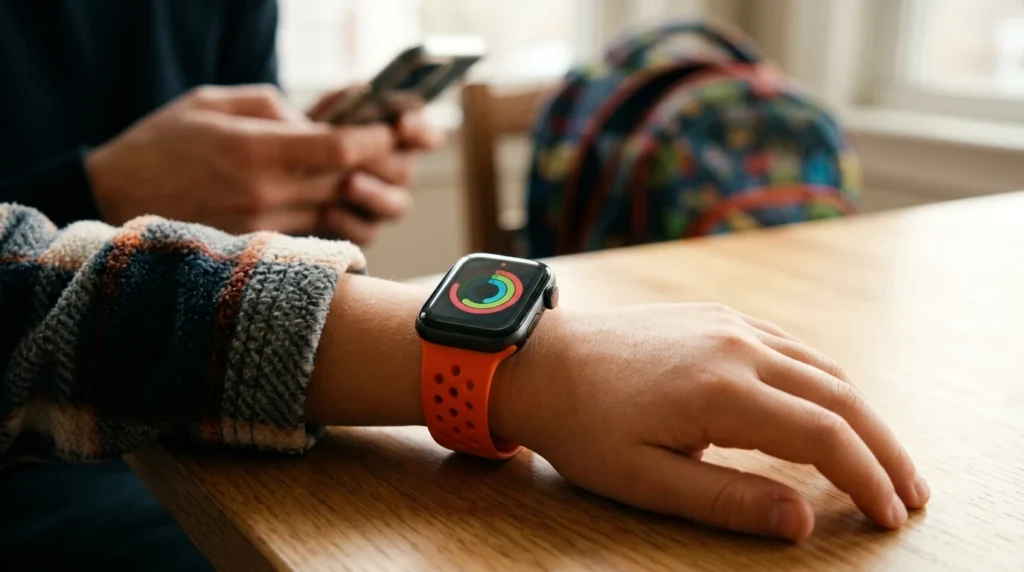
Quick answer: yes, your child can use an Apple Watch without their own iPhone. Apple calls it Apple Watch For Your Kids (it used to be called Family Setup). You need a cellular Apple Watch, your own iPhone, and a Family Sharing group where you’re the organizer or a parent. Your child can call, text and share their location, and you can turn on Schooltime to limit the watch during class. The catch: Apple’s newest watchOS 27 guide lists only the Apple Watch SE 3 or Series 9 and later, so an older hand-me-down watch may not get the latest software.
Reader-supported: we may earn a commission from links on this page. As an Amazon Associate we earn from qualifying purchases.
Part of our Kids’ Online Safety guides: phones, watches, games and apps.
Table of Contents
Key Findings
- No independent parent guide ranks in the top 10. Page 1 is Apple’s own pages, Reddit, stores and one travel-SIM blog.
- Family Setup has a new name. Apple now calls it Apple Watch For Your Kids.
- Model support changed. Apple’s setup article lists Series 4 or later or SE or later with cellular, while its watchOS 27 guide lists SE 3 or Series 9 or later.
- Many health features are limited by age. Apple says Fall Detection is for users 18 and older, and features like ECG, Sleep and Blood Oxygen aren’t available on these watches.
- Your child’s watch can use a different carrier than your iPhone, according to Apple.
What You Need: The Checklist
| You need | Details from Apple |
|---|---|
| A cellular Apple Watch | Series 4 or later or SE or later with cellular; SE 3 or Series 9 or later for watchOS 27 |
| Your own iPhone | iPhone 6s or later on iOS 14 or later, for setup and managing settings |
| Two Apple Accounts | Yours (with two-factor authentication) and one for your child |
| Family Sharing | You must be the organizer or a parent/guardian |
| A supported carrier | Needed for calls and texts away from Wi-Fi; some corporate plans aren’t supported |
| A supported country | Not available everywhere; Apple lists Italy, Korea and mainland China among the exceptions |
Which Apple Watch Works? The Model Catch
This is the detail most guides miss. Apple’s general setup article says any Apple Watch Series 4 or later, or SE or later, with cellular works. But Apple’s watchOS 27 guide says the child must use “a cellular-capable Apple Watch SE 3 or Apple Watch Series 9 or later.”
- Buying new? Choose a cellular SE 3 or Series 9 or later so the watch can run current software.
- Handing down an older watch? It may still work, but it may not get the newest features or updates. It must be a cellular model; a GPS-only watch can’t be set up this way.
- Erase it first. Apple says to erase a used watch before setting it up for a family member.
How to Set Up an Apple Watch for Your Child
- Turn on the watch by pressing and holding the side button, and bring it near your iPhone.
- Tap Set Up for a Family Member and pair it by centering the watch in your iPhone’s camera.
- Create a watch passcode and choose your child from your Family Sharing group.
- Turn on Ask to Buy if you want to approve downloads and purchases.
- Add cellular service through a supported carrier, or tap Not Now and contact a carrier later.
- Choose features: Location Services for Find My, Siri, Emergency Contacts, Medical ID, Activity and more.
- Choose shared contacts, set a Screen Time passcode and turn on Schooltime.
Tip from Apple: Contacts in iCloud must be turned on on your iPhone before you can share contacts with the watch. Your iPhone also needs to stay within about 33 feet (10 meters) to manage settings and install updates.
Schooltime and Other Parental Controls
- Schooltime: Apple says it “limits Apple Watch features during a child’s school hours.” Per Apple Support, you set the schedule in the Watch app on your iPhone, including different days and more than one time block a day.
- Leaving Schooltime: your child can exit by pressing and holding the Digital Crown and tapping Exit. If they exit during school hours, it turns back on when they lower their wrist, and you get a notification. Exits show up in Schooltime reports.
- Contacts and limits: you manage shared contacts and restrictions in Screen Time on your iPhone. For the iPhone side, see our iPhone parental controls guide.
- Purchases: Ask to Buy lets you approve downloads. Apple Cash Family is available for users under 18 in the US only.
What Kids Can and Can’t Do
| Works | Limited or not available |
|---|---|
| Calls, messages and location sharing | Fall Detection and Heart Rate Variability (18+ only) |
| Emergency SOS | High and low heart rate notifications (13+ only) |
| Activity, with move minutes for under-13s | ECG, Sleep, Blood Oxygen, Wrist Temperature, Cycle Tracking |
| Apple Cash Family (US, under 18) | Card-based Apple Pay, Audiobooks, News, Shortcuts, international roaming |
Apple Watch vs Kids’ Smartwatches
| Watch | 911 / SOS | Location | Best for |
|---|---|---|---|
| Apple Watch (cellular) | Emergency SOS | Find My | iPhone families, older kids |
| Gizmo Watch | No 911, per Verizon | Boundary alerts | Existing Verizon users; see our Gizmo Watch guide |
| Gabb Watch 3e | Designated contact, per Bark’s comparison | About every 15 minutes, per Gabb | Ages 5 to 12, simple use |
| Garmin Bounce 2 | Alerts guardians, not 911, per Garmin | Live tracking, 7-day history | No carrier line needed |
| Bark Watch | 911, per Bark | Real time, per Bark | Message monitoring; see Bark vs Gabb |
Want a simpler watch for a young child? The Gabb Watch 3e has about 870 store ratings (3.4 stars), and the Garmin Bounce 2 about 230 (3.3 stars). Compare all six in the best smart watches for kids.
Who It’s For
| Your situation | Our suggestion |
|---|---|
| You use iPhones and your child is 10+ | Apple Watch with Apple Watch For Your Kids |
| Your child is 5 to 8 | A simpler kids’ watch like Gabb or Garmin |
| You want message alerts | Bark Watch |
| You only have an Android phone | Apple Watch won’t work for you; choose a kids’ watch |
| Your child is ready for apps | Consider a phone instead; see the best phone for kids |
How We Did This
- We read Apple’s setup article, its watchOS 27 guide, its Schooltime support page and its Apple Watch For Your Kids page on October 18, 2026.
- We checked the search results for “apple watch for kids” and “apple watch family setup” and found no independent parent guide in the top 10.
- We did not test these watches. Apple updates its requirements with new software, so check Apple Support before you buy.
Frequently Asked Questions
Can a child use an Apple Watch without an iPhone?
Yes. With Apple Watch For Your Kids (formerly called Family Setup), a parent sets up a cellular Apple Watch from their own iPhone. The child can call, text and share their location without having their own iPhone. Some features that depend on a companion iPhone aren’t available.
What is Apple Watch For Your Kids?
It’s Apple’s name for setting up an Apple Watch for a child or family member who doesn’t have their own iPhone. You must be the organizer or a parent or guardian in a Family Sharing group, and the watch must be a cellular model.
What Apple Watch do I need for my child?
A cellular model. Apple’s setup article lists Apple Watch Series 4 or later, or Apple Watch SE or later, with cellular. Apple’s watchOS 27 guide lists Apple Watch SE 3 or Series 9 or later, so older watches may not get the newest software.
What is Schooltime on Apple Watch?
Schooltime limits Apple Watch features during school hours on a schedule you set in the Watch app. Your child can exit it by pressing and holding the Digital Crown, but you get a notification, and exits show up in Schooltime reports.
Does a kids Apple Watch need a cellular plan?
Apple says a cellular plan isn’t required to set up the watch, but it’s needed for some features, like calling and texting away from Wi-Fi. The watch can use a different carrier than your iPhone if that carrier supports Apple Watch For Your Kids.
Is an Apple Watch good for kids?
It can be, especially for iPhone families and older kids. It’s the most capable watch here, with calls, texts, location sharing and Emergency SOS. The trade-offs are cost, more features to manage, and some health features being limited by age.
Sources
- Apple: Apple Watch For Your Kids
- Apple Support: Set up Apple Watch for a family member
- Apple Support: Use Apple Watch For Your Kids (watchOS 27)
- Apple Support: Get started with Schooltime on Apple Watch
- Store listings for Gabb Watch 3e and Garmin Bounce 2, checked October 18, 2026